GTA 6: aim with a press instead of a hold, and ease other holds
GTA 6 lets you aim with a press of LT instead of a hold. The row is called Aiming and sits in the Accessibility section of the Gameplay tab, among rows that ease other holds and repeated presses.
First-hand · Xbox Series S · captured 19 November 2026, 02:39 UTC
Steps
- Pause the game and choose Settings, the last entry of the pause menu.
- Press RB or LB until the Gameplay tab is lit. It is tab 3 of 8.
- Move down to the section Accessibility and pick the row you want: Aiming, Interact, Tap Assist, Hold Delay and Hold Assist.
- Press left or right to change the value. The change takes effect at once.
- Press B to go back. X restores the selected row to its default.
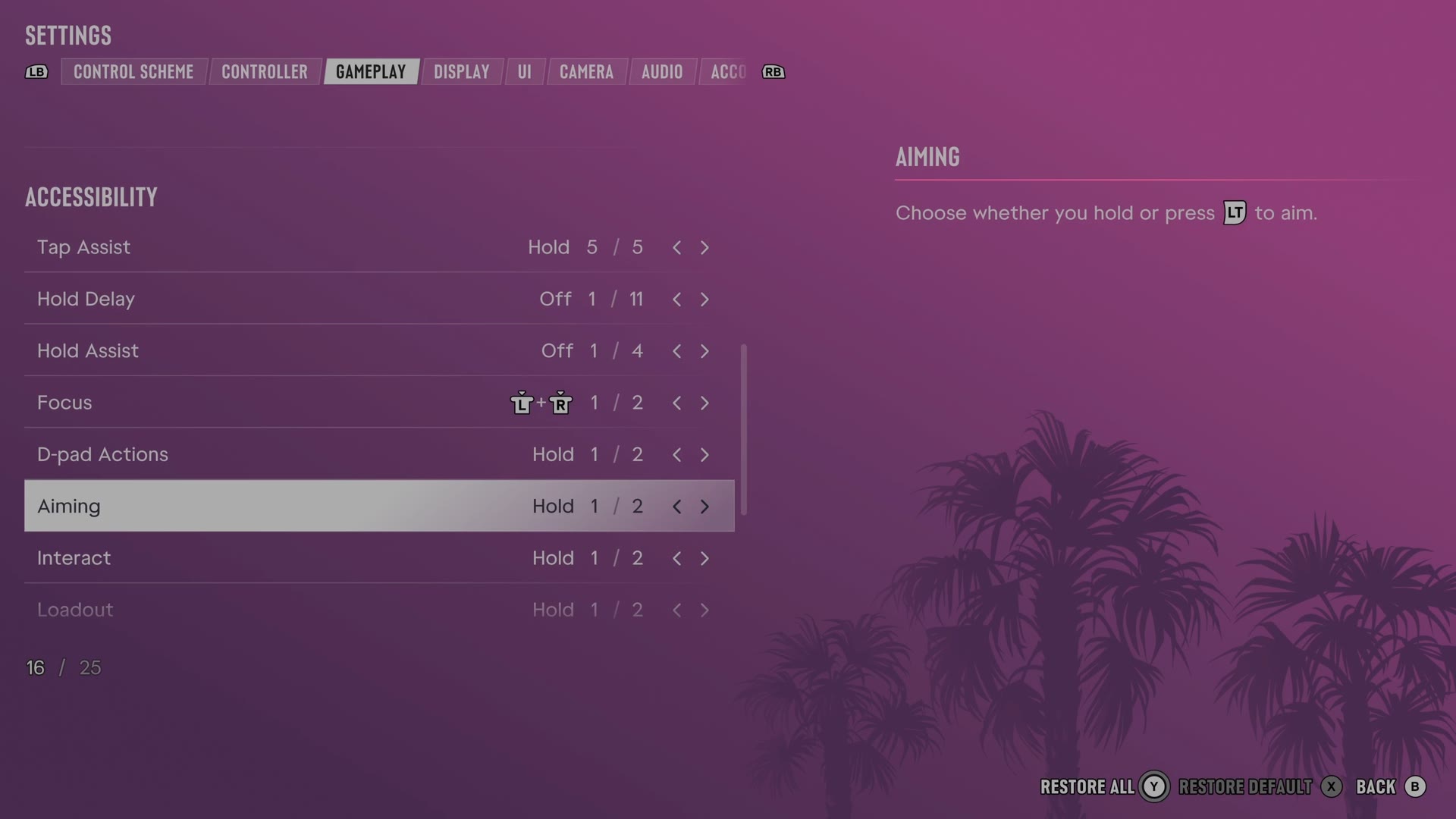
The rows
Aiming
Chooses whether aiming requires holding or pressing the aim button.
2 choices Hold · Press
Interact
Chooses whether interactions require holding or pressing the aim button.
2 choices Hold · Press
Tap Assist
Changes repeated button presses into fewer presses or a hold.
5 choices Off · 2x · 3x · 4x · Hold
Hold Delay
Sets the delay before holding a button registers.
11 choices Off · +25% · +50% · +75% · +100% · +125% · +150% · +175% · +200% · +225% · +250%
Hold Assist
Shortens the time needed to complete actions that require holding a button.
4 choices Off · 2x · 3x · 4x
Every row of this tab: GTA 6 gameplay settings: targeting, aim assist and accessibility. The whole screen: GTA 6 settings on Xbox Series S.