GTA 6 blood and gore settings: Dismemberment and Blood & Gore Intensity
Two rows on the Display tab set how violent the game looks: a switch for dismemberment and a choice for blood and gore. The choices are Low, Medium and High. None of them is named Off.
First-hand · Xbox Series S · captured 19 November 2026, 02:40 UTC
Steps
- Pause the game and choose Settings, the last entry of the pause menu.
- Press RB or LB until the Display tab is lit. It is tab 4 of 8.
- Move down to the section Visual Effects and pick the row you want: Dismemberment and Blood & Gore Intensity.
- Press left or right to change the value. The change takes effect at once.
- Press B to go back. X restores the selected row to its default.
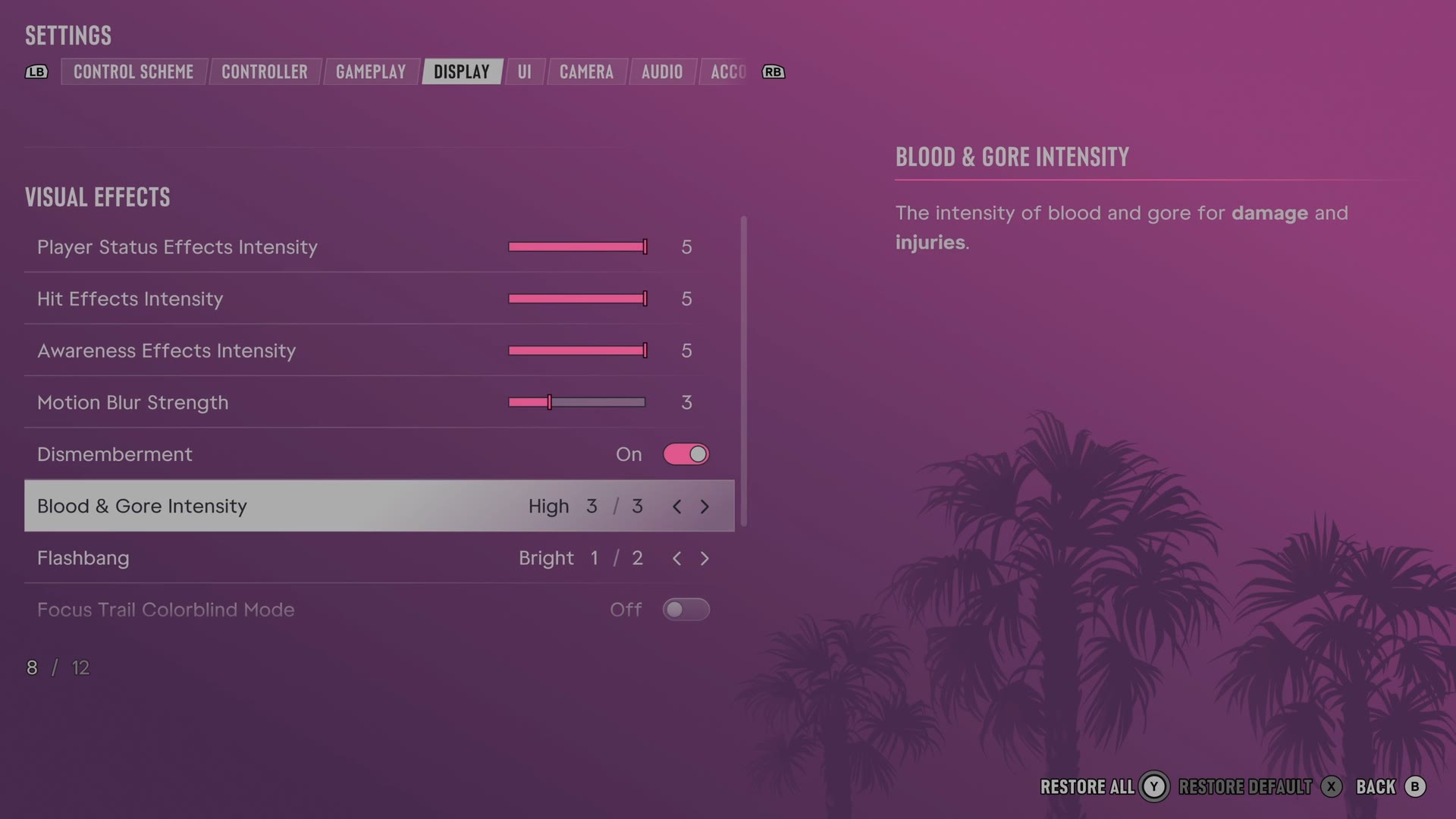
The rows
Dismemberment
Chooses whether certain injuries can show dismemberment.
Switch On on our console
Blood & Gore Intensity
Sets how much blood and gore injuries show.
3 choices Low · Medium · High
Every row of this tab: GTA 6 display settings on Xbox Series S: HDR, motion blur, blood and gore. The whole screen: GTA 6 settings on Xbox Series S.