GTA 6 display settings on Xbox Series S: HDR, motion blur, blood and gore
The Display tab has 12 rows in 3 sections: Display, Visual Effects and High Contrast Shaders. No row on this tab, or on any other tab, sets a frame rate, a resolution or a performance mode on Xbox Series S.
First-hand · Xbox Series S · captured 19 November 2026, 02:40 UTC
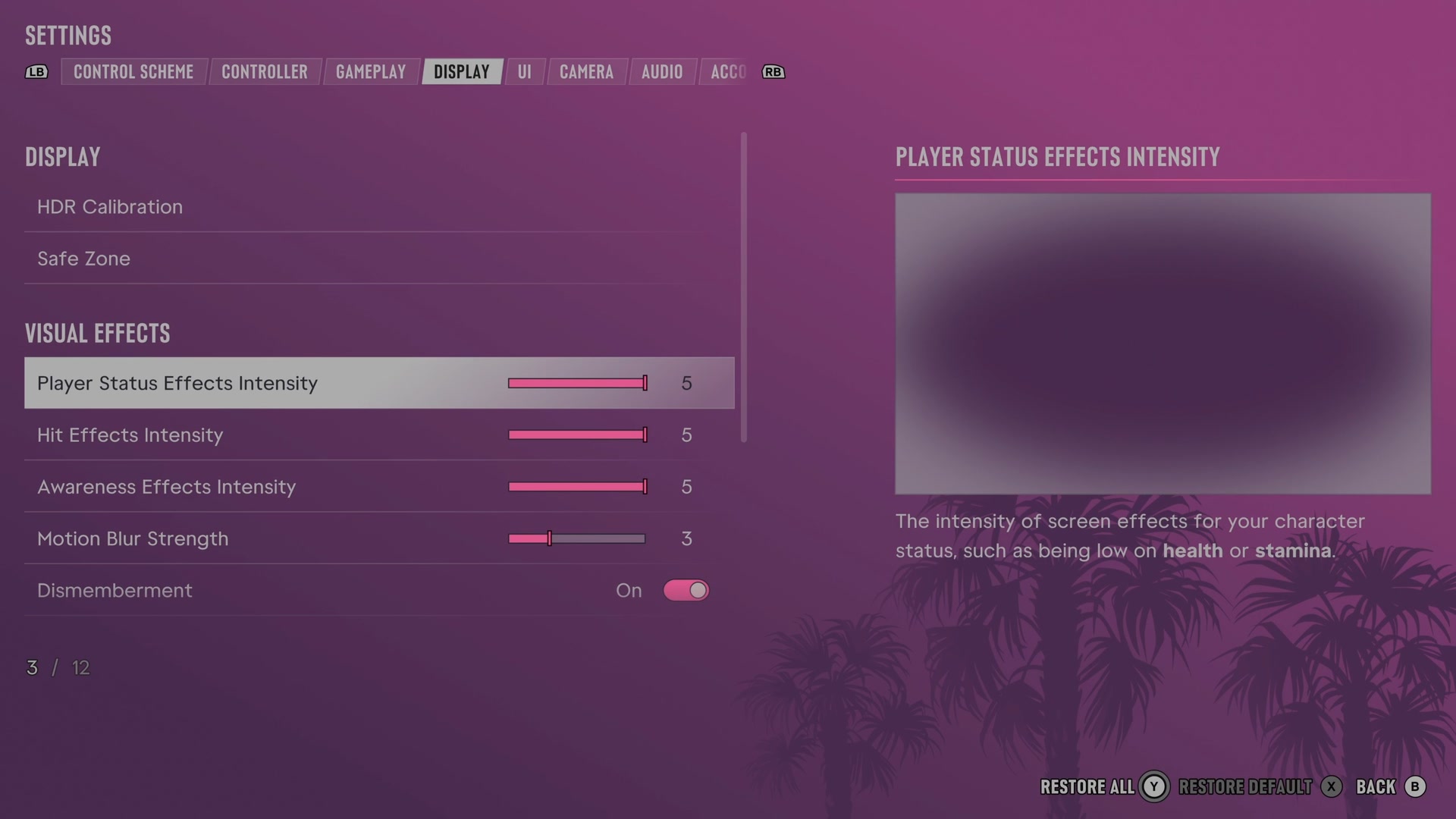
Open it from the pause menu: choose Settings, then press RB or LB until Display is lit. It is tab 4 of 8. A change takes effect as you make it, X restores the selected row to its default and B goes back.
Display · Visual Effects · High Contrast Shaders
Display
HDR Calibration
Opens the HDR picture calibration settings.
Opens its own screen
Safe Zone
Sets the area of your screen used by the game.
Opens its own screen
Visual Effects
Player Status Effects Intensity
Sets the strength of visual effects that show low health, low stamina and other character conditions.
Slider set to 5 (bar full) on our console
Hit Effects Intensity
Sets the strength of visual effects around the screen when shots or other hits occur.
Slider set to 5 (bar full) on our console
Awareness Effects Intensity
Sets the strength of visual warnings about police and threats outside the camera view.
Slider set to 5 (bar full) on our console
Motion Blur Strength
Sets how much fast movement blurs the picture.
Slider set to 3 on our console
Dismemberment
Chooses whether certain injuries can show dismemberment.
Switch On on our console
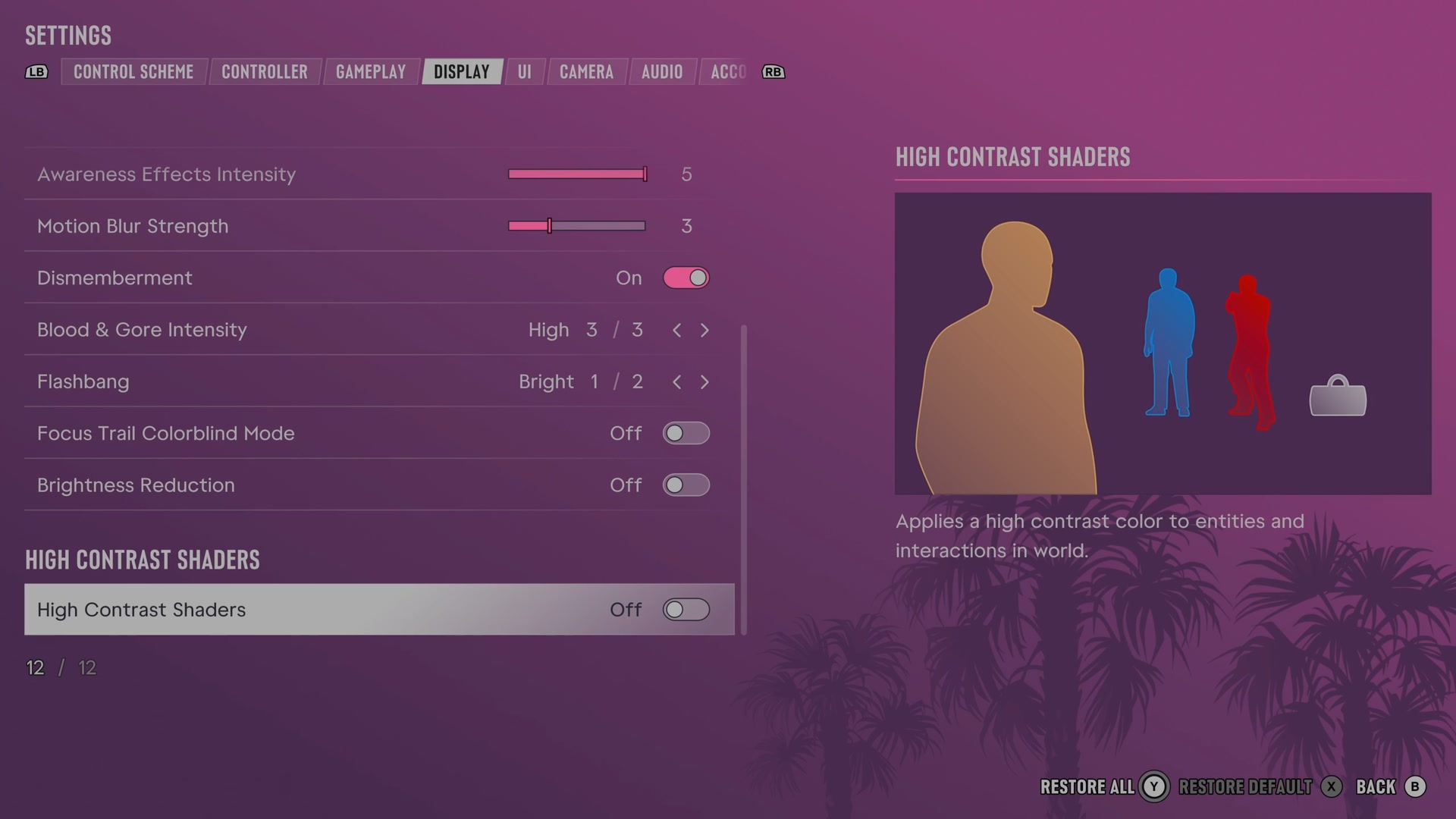
Blood & Gore Intensity
Sets how much blood and gore injuries show.
3 choices Low · Medium · High
Flashbang
Chooses whether flashbang effects use a light or dark flash.
2 choices Bright · Dark
Focus Trail Colorblind Mode
Changes trail colours to make them easier to distinguish with colour blindness.
Switch Off on our console
Brightness Reduction
Softens bright lights in the game world without changing the HUD.
Switch Off on our console
High Contrast Shaders
High Contrast Shaders
Colours characters, objects and interactions for stronger visual contrast.
Switch Off on our console
Next to this tab: Gameplay and UI. All tabs: GTA 6 settings on Xbox Series S.