How to turn down controller vibration in GTA 6
Controller vibration in GTA 6 is one slider: Vibration & Haptics Strength, on the Controller tab under Controller Features. Our console had it at 10, with the bar full.
First-hand · Xbox Series S · captured 19 November 2026, 02:39 UTC
Steps
- Pause the game and choose Settings, the last entry of the pause menu.
- Press RB or LB until the Controller tab is lit. It is tab 2 of 8.
- Move down to the section Controller Features and select Vibration & Haptics Strength.
- Press left or right to change the value. The change takes effect at once.
- Press B to go back. X restores the selected row to its default.
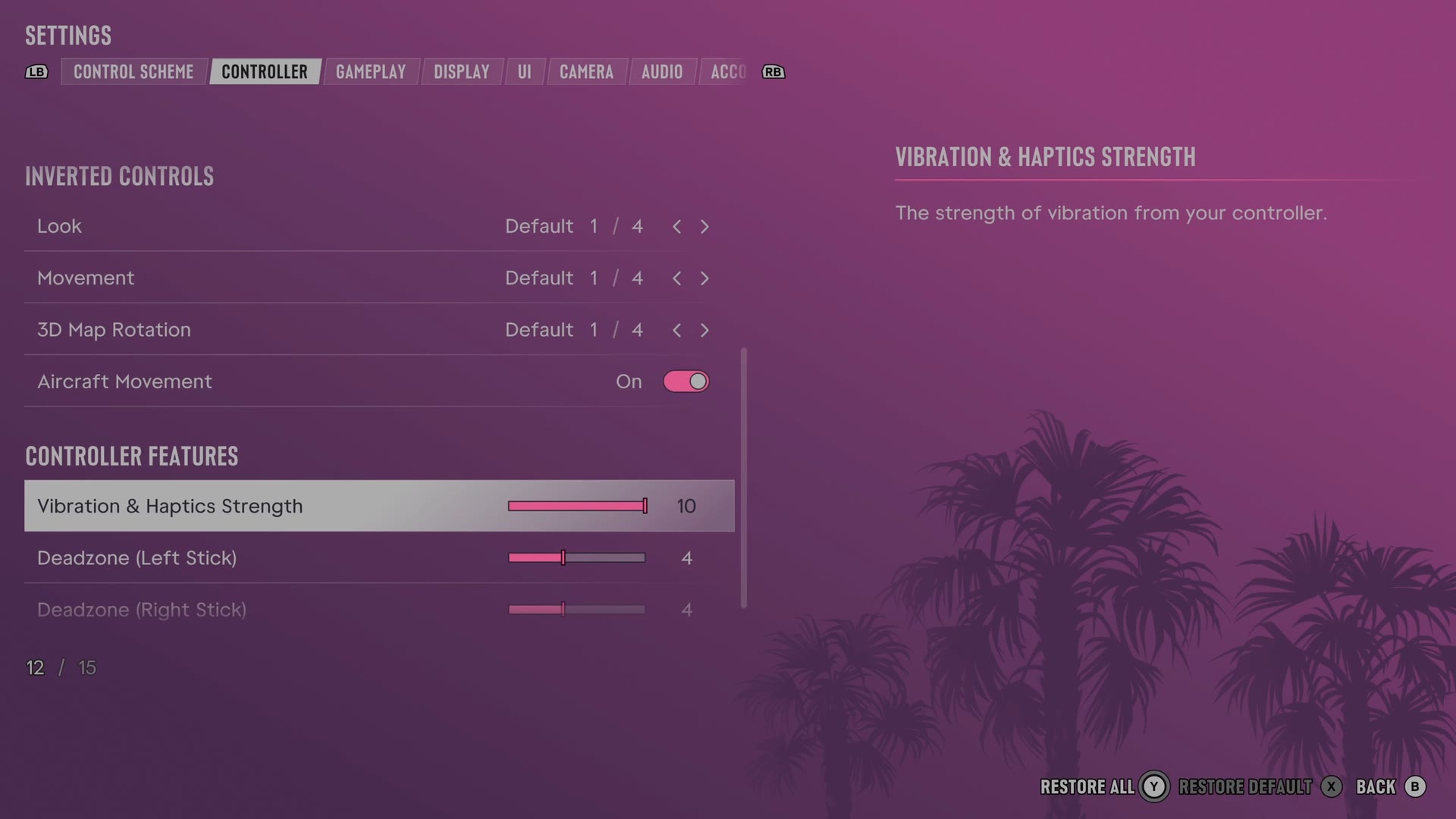
The row
Vibration & Haptics Strength
Sets the strength of controller vibration.
Slider set to 10 (bar full) on our console
What we have not tried. We left every setting as we found it, so we have not seen this
slider at its lowest step and cannot say whether that step turns the effect off fully.
Every row of this tab: GTA 6 controller settings: sensitivity, deadzones and inverted controls. The whole screen: GTA 6 settings on Xbox Series S.