GTA 6 difficulty: Accessible Combat and Reduced Vehicle Damage
None of the 177 rows on the settings screen is named difficulty. Two switches in the Accessibility section of the Gameplay tab make the game easier: Accessible Combat and Reduced Vehicle Damage. The game warns that each one significantly changes the balance of gameplay.
First-hand · Xbox Series S · captured 19 November 2026, 02:39 UTC
Steps
- Pause the game and choose Settings, the last entry of the pause menu.
- Press RB or LB until the Gameplay tab is lit. It is tab 3 of 8.
- Move down to the section Accessibility and pick the row you want: Accessible Combat, Reduced Vehicle Damage, Simplified Mini Games and Auto Equip Helmet.
- Press left or right to change the value. The change takes effect at once.
- Press B to go back. X restores the selected row to its default.
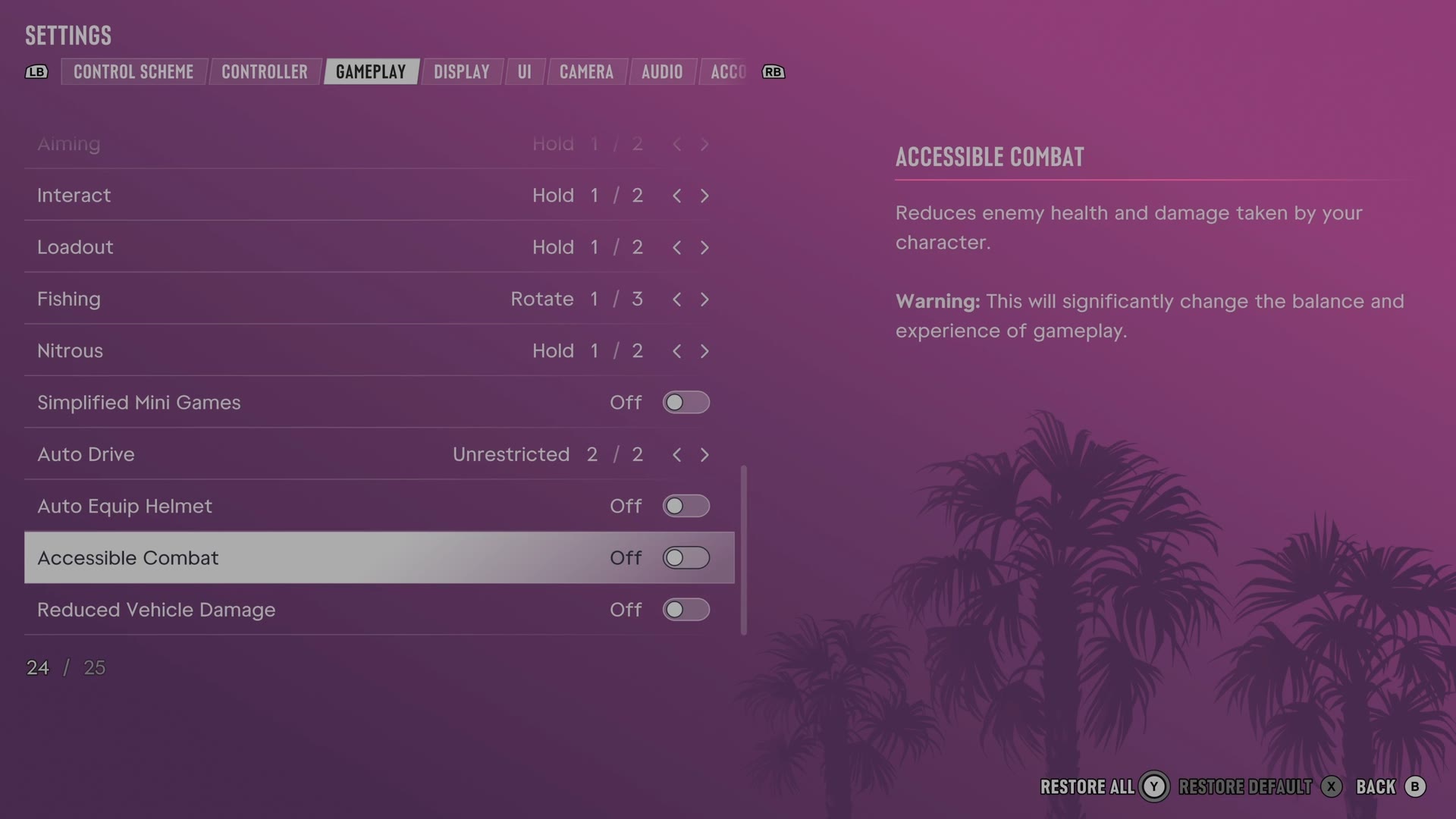
The rows
Accessible Combat
Lowers enemy health and the damage your character takes.
Switch Off on our console
Reduced Vehicle Damage
Lowers the damage your vehicle takes.
Switch Off on our console
Simplified Mini Games
Reduces the input needed for activities such as hotwiring, exercise and basketball.
Switch Off on our console
Auto Equip Helmet
Chooses whether helmets are equipped and removed automatically when using certain vehicles.
Switch Off on our console
Every row of this tab: GTA 6 gameplay settings: targeting, aim assist and accessibility. The whole screen: GTA 6 settings on Xbox Series S.