How to hide the HUD in GTA 6: money, wanted stars and vitals
We found no single switch for the whole HUD among the 70 rows of the UI tab. Each part has its own switch. Five of them sit under Player & Vehicle Status, and the game says three of those can be recalled with the D-pad while they are hidden.
First-hand · Xbox Series S · captured 19 November 2026, 02:40 UTC
Steps
- Pause the game and choose Settings, the last entry of the pause menu.
- Press RB or LB until the UI tab is lit. It is tab 5 of 8.
- Move down to the section Player & Vehicle Status and pick the row you want: Player Vitals, Wanted Stars, Heat Indicators, Money and Vehicle Name & Status.
- Press left or right to change the value. The change takes effect at once.
- Press B to go back. X restores the selected row to its default.
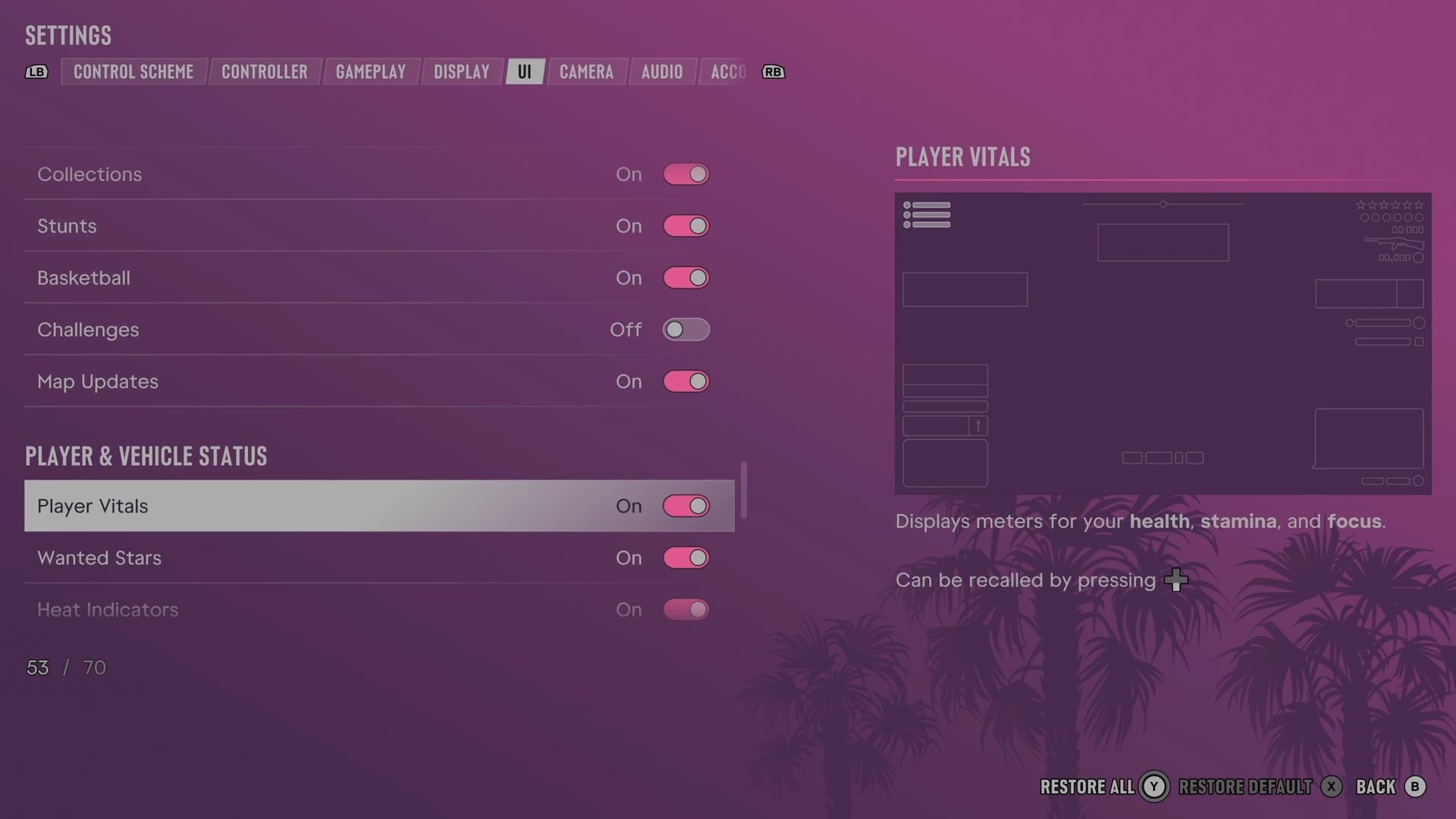
The rows
Player Vitals
Chooses whether the HUD shows your health, stamina and focus meters.
Switch On on our console
Wanted Stars
Chooses whether the HUD shows stars for your wanted level.
Switch On on our console
Heat Indicators
Chooses whether the HUD shows how police can identify you after a crime.
Switch On on our console
Money
Chooses whether the HUD shows your money.
Switch On on our console
Vehicle Name & Status
Chooses whether entering a vehicle shows its name, fuel and condition.
Switch On on our console
The rest of the HUD is switched in the other sections of the same tab: the minimap and compass under Navigation, the feed and tips under HUD Notifications, and the button prompts under Prompts. All of them are on the UI tab page.
Every row of this tab: GTA 6 UI and HUD settings: every row, from minimap to reticle. The whole screen: GTA 6 settings on Xbox Series S.