How to invert the camera and flight controls in GTA 6
GTA 6 inverts looking, moving, the 3D map and aircraft in four separate rows. Looking, moving and the map can each be inverted up and down, left and right, or both. Aircraft is a switch of its own.
First-hand · Xbox Series S · captured 19 November 2026, 02:39 UTC
Steps
- Pause the game and choose Settings, the last entry of the pause menu.
- Press RB or LB until the Controller tab is lit. It is tab 2 of 8.
- Move down to the section Inverted Controls and pick the row you want: Look, Movement, 3D Map Rotation and Aircraft Movement.
- Press left or right to change the value. The change takes effect at once.
- Press B to go back. X restores the selected row to its default.
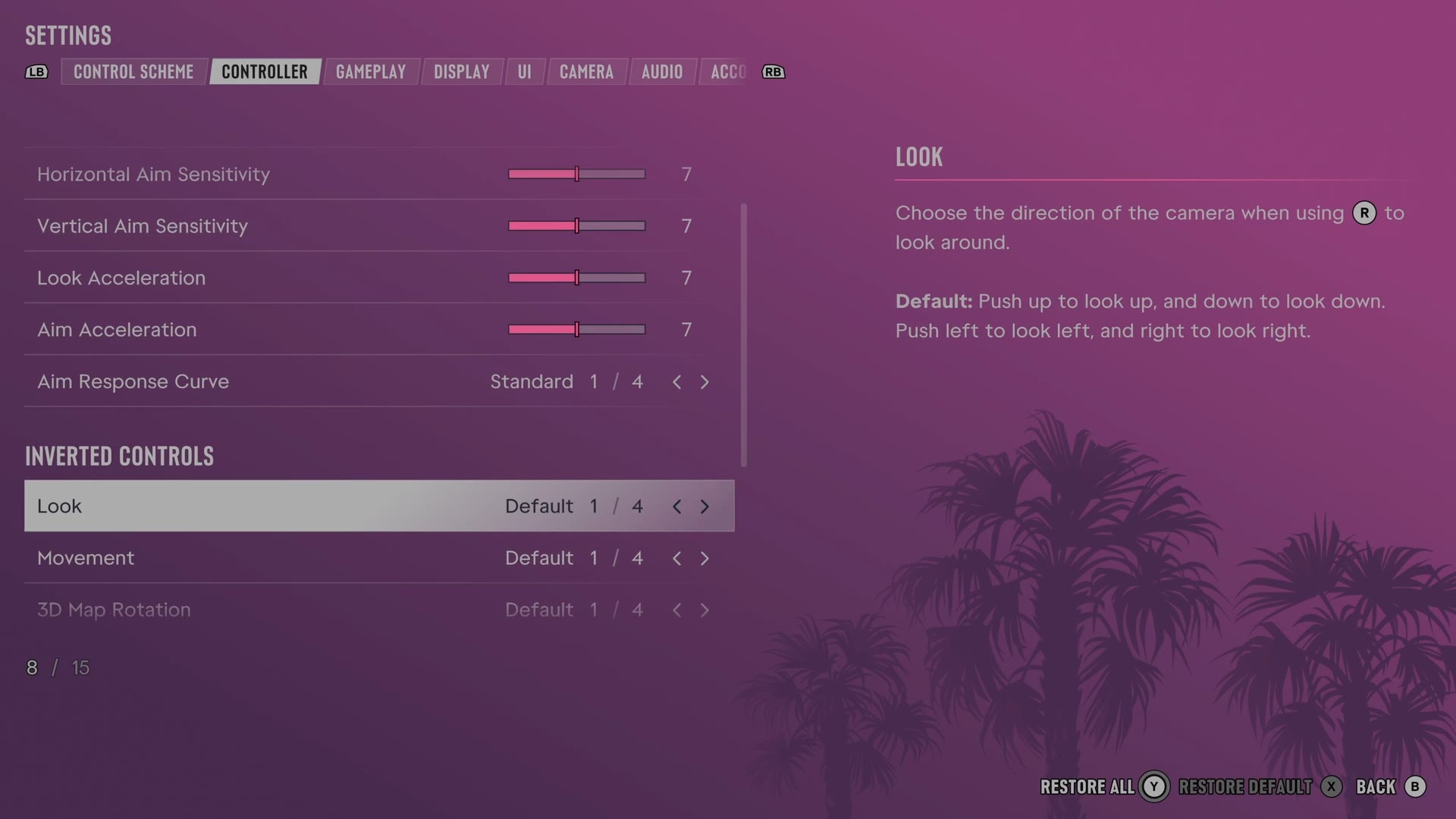
The rows
Look
Changes which right stick directions move the camera up, down, left and right.
4 choices Default · Vertical · Horizontal · Both
What the game says about each choice
- Default
- Choose the direction of the camera when using R to look around. Default: Push up to look up, and down to look down. Push left to look left, and right to look right.
- Vertical
- Choose the direction of the camera when using R to look around. Vertical: Push up to look down, and down to look up.
- Horizontal
- Choose the direction of the camera when using R to look around. Horizontal: Push left to look right, and right to look left.
- Both
- Choose the direction of the camera when using R to look around. Both: Push up to look down, and down to look up. Push left to look right, and right to look left.
Movement
Changes which left stick directions move your character or vehicle.
4 choices Default · Vertical · Horizontal · Both
What the game says about each choice
- Default
- Choose the movement direction when using L on foot and in a vehicle. Default: Push up to move forwards, and down to move backwards. Push left to move left, and right to move right.
- Vertical
- Choose the movement direction when using L on foot and in a vehicle. Vertical: Push up to move backwards, and down to move forwards.
- Horizontal
- Choose the movement direction when using L on foot and in a vehicle. Horizontal: Push left to move right, and right to move left.
- Both
- Choose the movement direction when using L on foot and in a vehicle. Both: Push up to move backwards, and down to move forwards. Push left to move right, and right to move left.
3D Map Rotation
Changes which right stick directions turn the 3D map.
4 choices Default · Vertical · Horizontal · Both
What the game says about each choice
- Default
- Choose the direction of the camera when using R to rotate the 3D map. Default: Push up to look up, and down to look down. Push left to rotate left, and right to rotate right.
- Vertical
- Choose the direction of the camera when using R to rotate the 3D map. Vertical: Push up to look down, and push down to look up.
- Horizontal
- Choose the direction of the camera when using R to rotate the 3D map. Horizontal: Push left to rotate right, and right to rotate left.
- Both
- Choose the direction of the camera when using R to rotate the 3D map. Both: Push up to look down, and push down to look up. Push left to rotate right, and right to rotate left.
Aircraft Movement
Reverses vertical aircraft controls on the left stick.
Switch On on our console
Every row of this tab: GTA 6 controller settings: sensitivity, deadzones and inverted controls. The whole screen: GTA 6 settings on Xbox Series S.