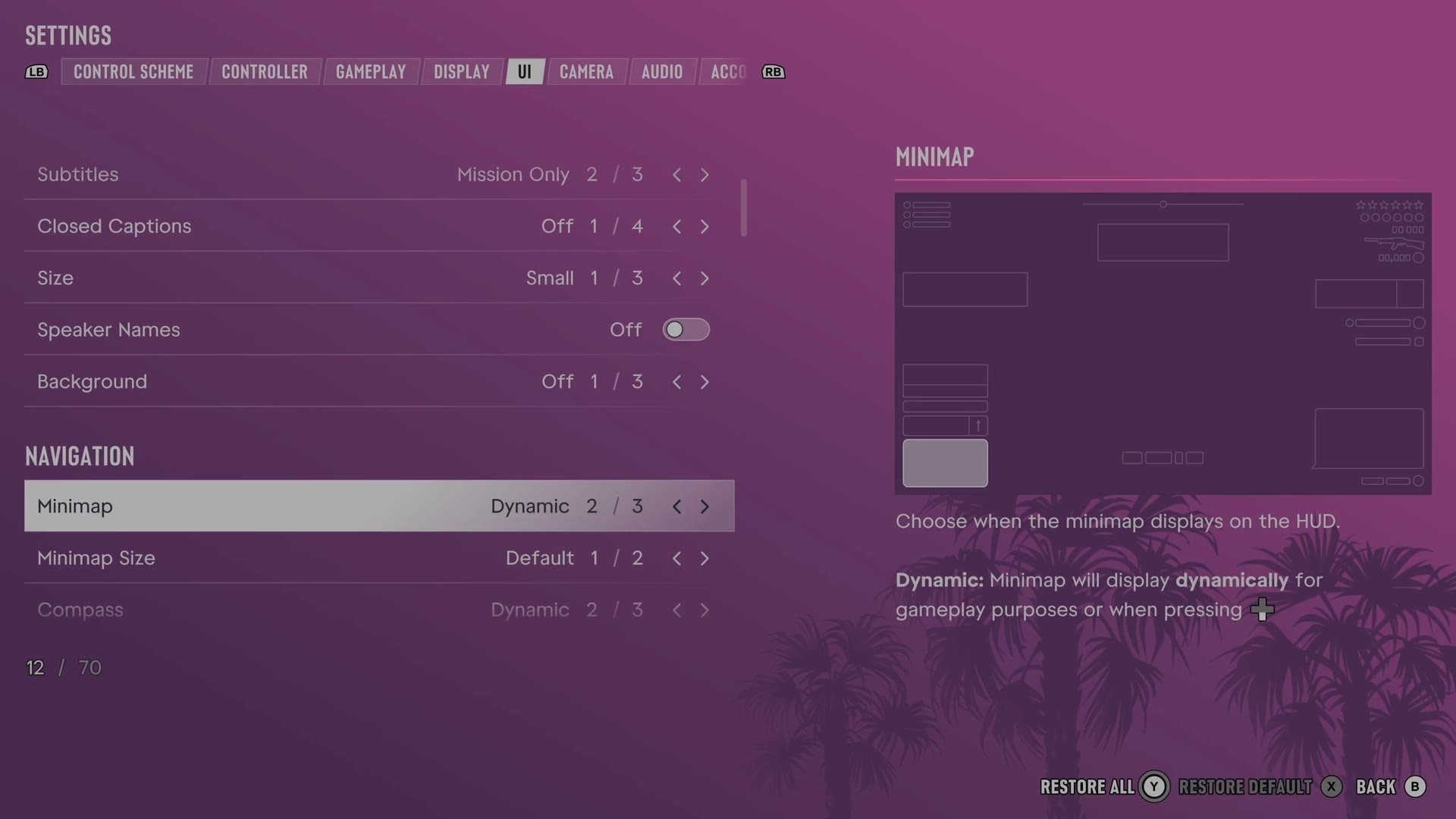
GTA 6 minimap and compass settings: On, Dynamic or Off
The minimap and the compass each have three choices in GTA 6: On, Dynamic and Off. With Dynamic, the minimap shows when the game needs it or when you press the D-pad.
First-hand · Xbox Series S · captured 19 November 2026, 02:40 UTC
Steps
Pause the game and choose Settings, the last entry of the pause menu.
Press RB or LB until the UI tab is lit. It is tab 5 of 8.
Move down to the section Navigation
and pick the row you want: Minimap, Minimap Size and Compass.
Press left or right to change the value. The change takes effect at once.
Press B to go back. X restores the selected row to its default.
UI tab with Minimap selected. Captured from our console, 19 November 2026, 02:40 UTC.
The rows
Minimap
Chooses when the minimap appears on the HUD.
3 choices On · Dynamic · Off
What the game says about each choice
On
Choose when the minimap displays on the HUD. On: Minimap will always display, except during cinematic moments and cutscenes.
Dynamic
Choose when the minimap displays on the HUD. Dynamic: Minimap will display dynamically for gameplay purposes or when pressing D-pad
Off
Choose when the minimap displays on the HUD. Off: Minimap will never display.
Minimap Size
Sets how large the minimap appears.
2 choicesDefault · Large
Compass
Chooses when the compass appears on the HUD.
3 choices On · Dynamic · Off
What the game says about each choice
On
Choose when the compass displays on the HUD. The compass can be used to support the minimap or as an alternate method of navigation. On: Compass will always display, except during cinematic moments and cutscenes.
Dynamic
Choose when the compass displays on the HUD. The compass can be used to support the minimap or as an alternate method of navigation. Dynamic: Compass will display when driving, wanted, or when pressing D-pad
Off
Choose when the compass displays on the HUD. The compass can be used to support the minimap or as an alternate method of navigation. Off: Compass will never display.
Rows that come and go. With Minimap on Off, Minimap Size and GPS Route leave the list.