GTA 6 sensitivity settings: look, aim, acceleration and the response curve
Looking and aiming have separate sensitivity sliders in GTA 6, each split into horizontal and vertical. Two acceleration sliders follow them, and then a response curve with four choices.
First-hand · Xbox Series S · captured 19 November 2026, 02:39 UTC
Steps
- Pause the game and choose Settings, the last entry of the pause menu.
- Press RB or LB until the Controller tab is lit. It is tab 2 of 8.
- Move down to the section Aim & Look Sensitivity and pick the row you want: Horizontal Look Sensitivity, Vertical Look Sensitivity, Horizontal Aim Sensitivity, Vertical Aim Sensitivity, Look Acceleration, Aim Acceleration and Aim Response Curve.
- Press left or right to change the value. The change takes effect at once.
- Press B to go back. X restores the selected row to its default.
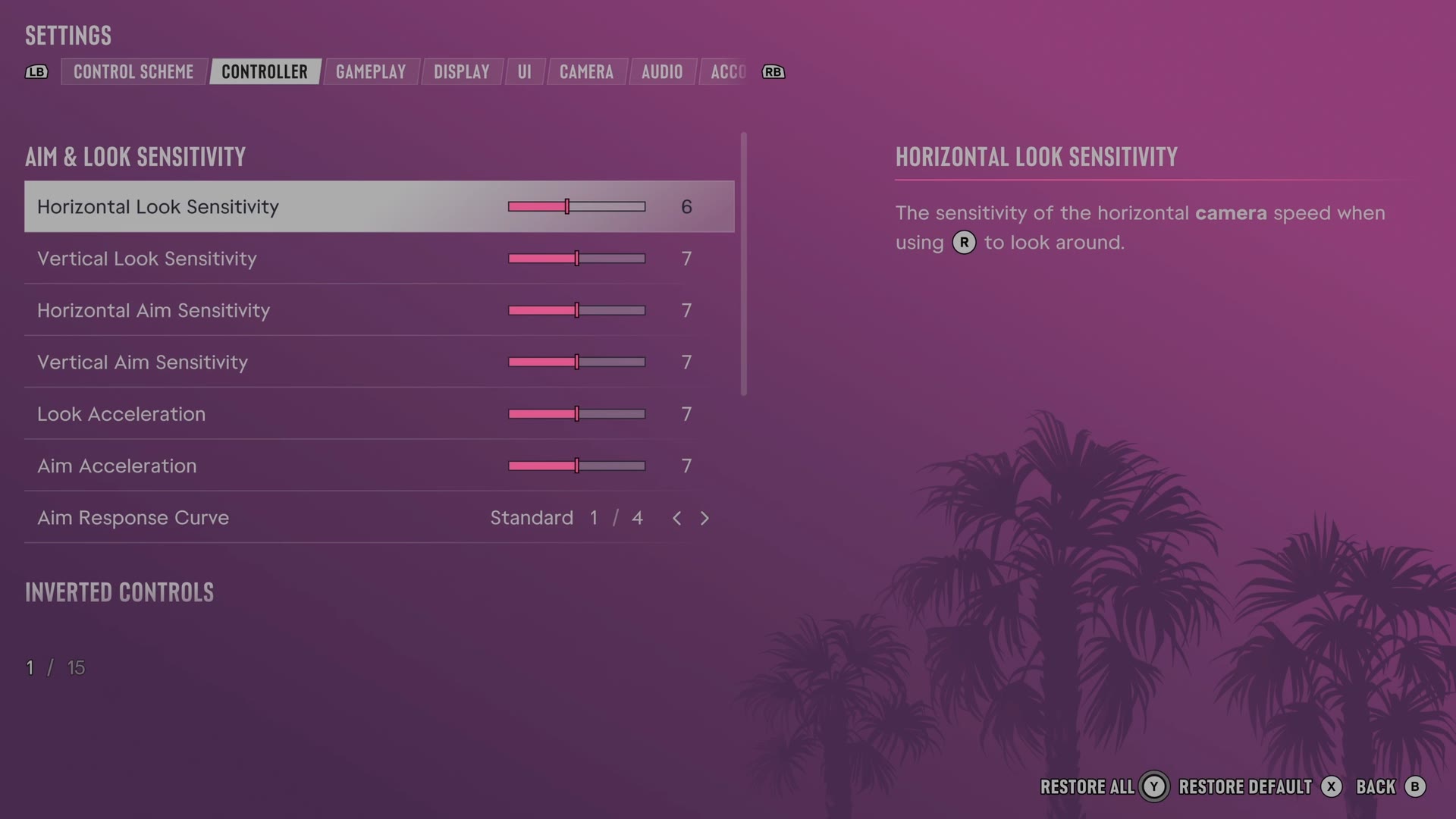
The rows
Horizontal Look Sensitivity
Sets how fast the camera turns sideways when you look around.
Slider set to 6 on our console
Vertical Look Sensitivity
Sets how fast the camera turns up and down when you look around.
Slider set to 7 on our console
Horizontal Aim Sensitivity
Sets how fast the camera turns sideways while you aim.
Slider set to 7 on our console
Vertical Aim Sensitivity
Sets how fast the camera turns up and down while you aim.
Slider set to 7 on our console
Look Acceleration
Sets how quickly camera movement builds to its highest speed when you look around.
Slider set to 7 on our console
Aim Acceleration
Sets how quickly camera movement builds to its highest speed while you aim.
Slider set to 7 on our console
Aim Response Curve
Changes how the right stick responds while you aim.
4 choices Standard · Linear · Precision · Aggressive
What the game says about each choice
- Standard
- The way R responds while aiming. Standard: Aim responsiveness is balanced between speed and precision.
- Linear
- The way R responds while aiming. Linear: Aim responsiveness matches raw input with how much R is pushed.
- Precision
- The way R responds while aiming. Precision: Aim responsiveness is slower when partially pushing R and will increase quickly when fully pushed.
- Aggressive
- The way R responds while aiming. Aggressive: Aim responsiveness is always fast when using R and has less precision when partially pushed.
Every row of this tab: GTA 6 controller settings: sensitivity, deadzones and inverted controls. The whole screen: GTA 6 settings on Xbox Series S.