How to stop the radio from starting when you enter a vehicle in GTA 6
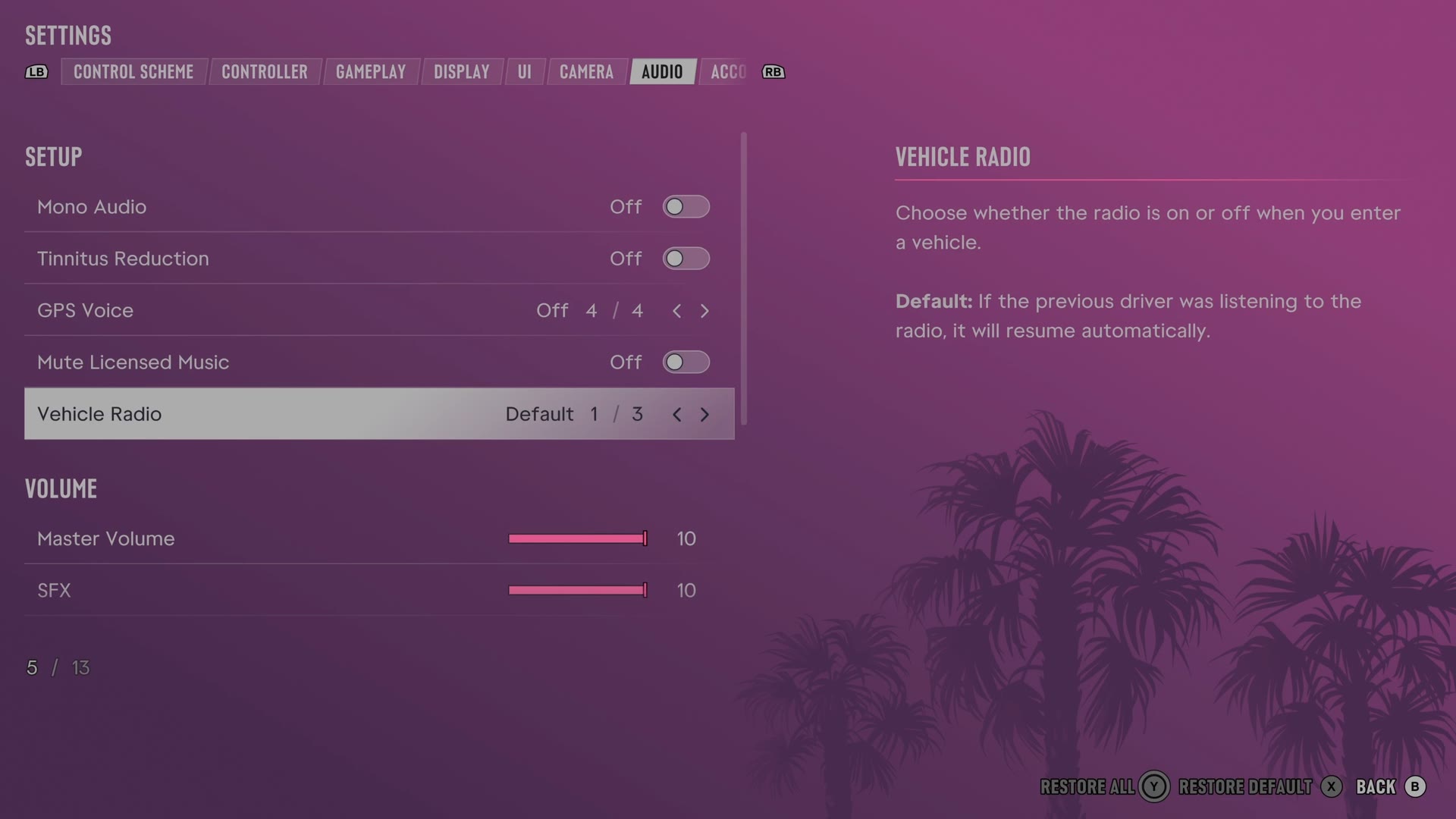
The Vehicle Radio row on the Audio tab decides whether the radio plays when you enter a vehicle. It has three choices: Default, On and Off. With Default, the radio resumes if the previous driver was listening to it.
First-hand · Xbox Series S · captured 19 November 2026, 02:42 UTC
Steps
- Pause the game and choose Settings, the last entry of the pause menu.
- Press RB or LB until the Audio tab is lit. It is tab 7 of 8.
- Move down to the section Setup and select Vehicle Radio.
- Press left or right to change the value. The change takes effect at once.
- Press B to go back. X restores the selected row to its default.
The row
Vehicle Radio
Chooses how the radio behaves when you get into a vehicle.
3 choices Default · On · Off
What the game says about each choice
- Default
- Choose whether the radio is on or off when you enter a vehicle. Default: If the previous driver was listening to the radio, it will resume automatically.
- On
- Choose whether the radio is on or off when you enter a vehicle. On: Turns the radio on when entering a vehicle.
- Off
- Choose whether the radio is on or off when you enter a vehicle. Off: Turns the radio off when entering a vehicle.
Every row of this tab: GTA 6 audio settings: volume, GPS voice and muting licensed music. The whole screen: GTA 6 settings on Xbox Series S.