GTA 6 audio settings: volume, GPS voice and muting licensed music
The Audio tab has 13 rows in 3 sections: Setup, Volume and Narration. Six volume sliders sit below a Setup section with a switch that mutes licensed music.
First-hand · Xbox Series S · captured 19 November 2026, 02:42 UTC
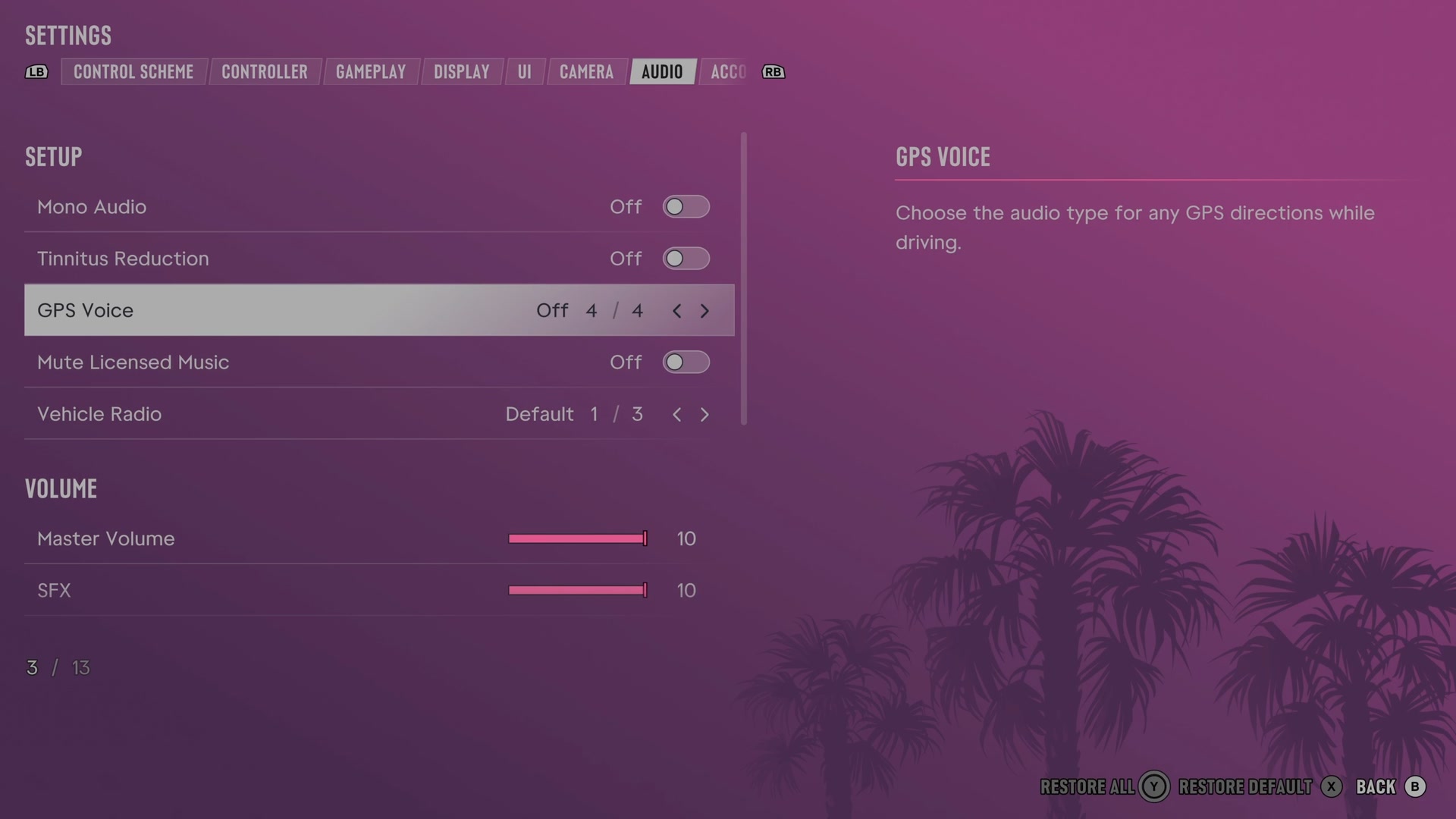
Open it from the pause menu: choose Settings, then press RB or LB until Audio is lit. It is tab 7 of 8. A change takes effect as you make it, X restores the selected row to its default and B goes back.
Setup
Mono Audio
Balances sound equally between the left and right audio channels.
Switch Off on our console
Tinnitus Reduction
Lowers the ringing sound that follows explosions.
Switch Off on our console
GPS Voice
Chooses the sounds used for spoken or signalled GPS driving directions.
4 choices On · Tones · Voice · Off
Mute Licensed Music
Chooses whether licensed music is silenced.
Switch Off on our console
Vehicle Radio
Chooses how the radio behaves when you get into a vehicle.
3 choices Default · On · Off
What the game says about each choice
- Default
- Choose whether the radio is on or off when you enter a vehicle. Default: If the previous driver was listening to the radio, it will resume automatically.
- On
- Choose whether the radio is on or off when you enter a vehicle. On: Turns the radio on when entering a vehicle.
- Off
- Choose whether the radio is on or off when you enter a vehicle. Off: Turns the radio off when entering a vehicle.
Volume
Master Volume
Sets the game's overall sound level.
Slider set to 10 (bar full) on our console
SFX
Sets how loud sound effects play.
Slider set to 10 (bar full) on our console
UI
Sets how loud interface sounds play.
Slider set to 10 (bar full) on our console
Dialogue
Sets how loud spoken dialogue plays.
Slider set to 10 (bar full) on our console
Music
Sets how loud music plays.
Slider set to 10 (bar full) on our console
Media
Sets how loud television, radio and other media in the world play.
Slider set to 10 (bar full) on our console
Narration
Screen Narration
Chooses whether an English voice reads text from menus and the interface.
Switch Off on our console
Audio Descriptions
Chooses whether an English voice describes cutscenes.
Switch Off on our console
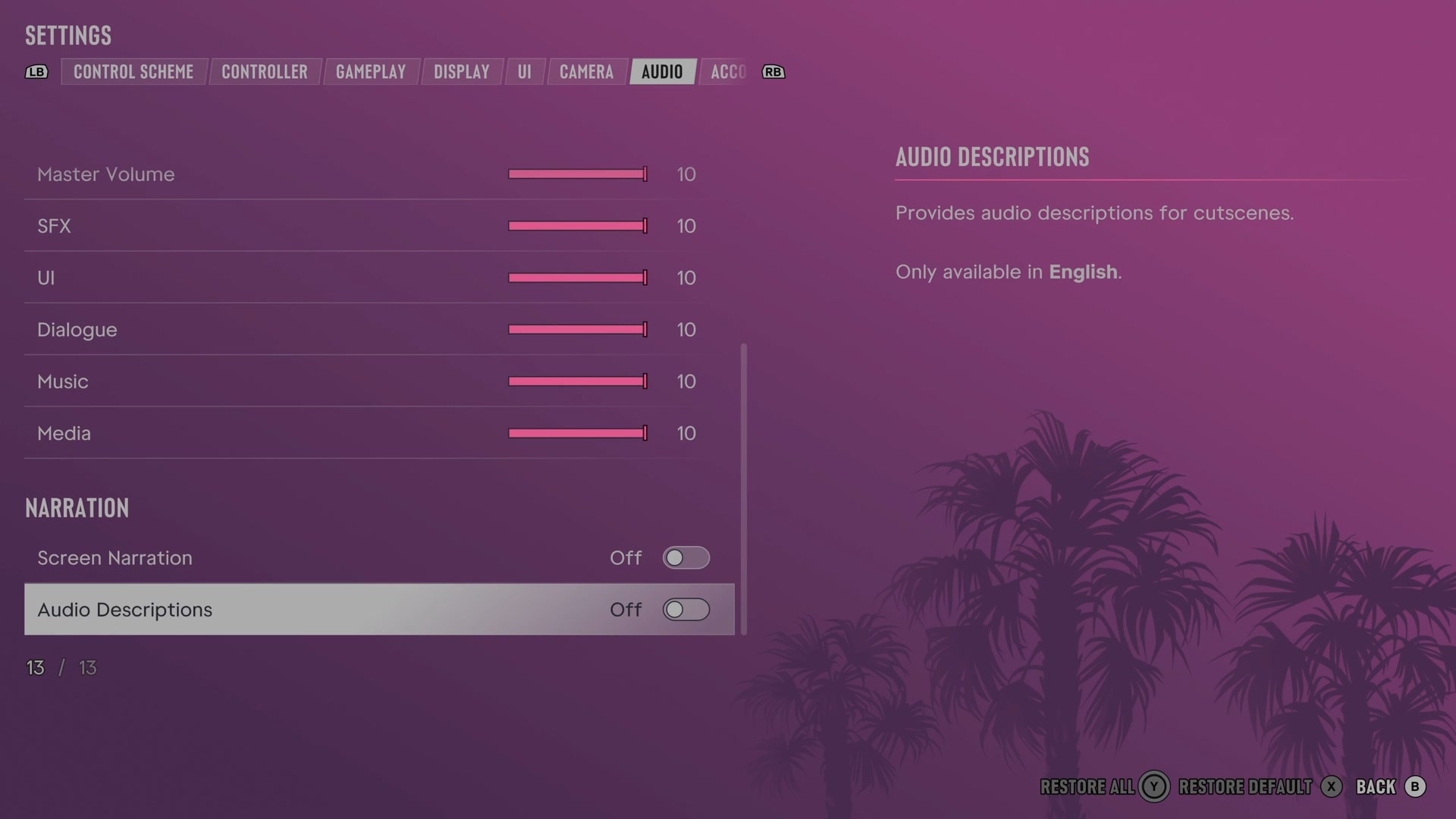
Next to this tab: Camera and Account. All tabs: GTA 6 settings on Xbox Series S.