GTA 6 camera settings: follow speed, camera shake and cinematic shots
The Camera tab has 24 rows in 6 sections: On Foot, Land & Water Vehicles, Comfort, Aircraft, Underwater and Cinematic. The camera is set separately for walking, driving, riding as a passenger, flying and swimming under water.
First-hand · Xbox Series S · captured 19 November 2026, 02:41 UTC
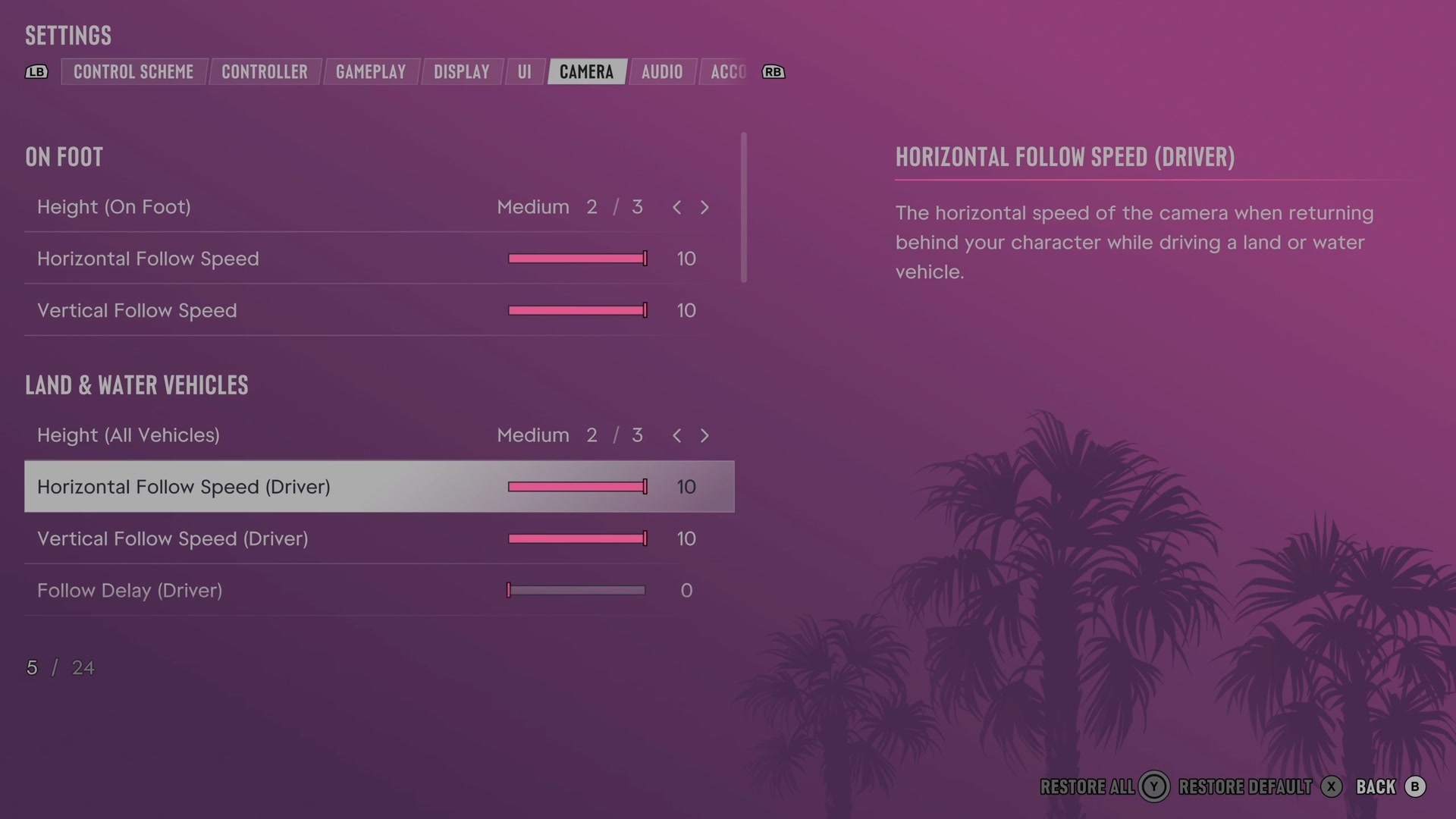
Open it from the pause menu: choose Settings, then press RB or LB until Camera is lit. It is tab 6 of 8. A change takes effect as you make it, X restores the selected row to its default and B goes back.
On Foot · Land & Water Vehicles · Comfort · Aircraft · Underwater · Cinematic
On Foot
Height (On Foot)
Sets how high the camera sits while you are on foot.
3 choices Low · Medium · High
Horizontal Follow Speed
Sets how quickly the camera moves sideways back behind you on foot.
Slider set to 10 (bar full) on our console
Vertical Follow Speed
Sets how quickly the camera moves vertically back behind you on foot.
Slider set to 10 (bar full) on our console
Land & Water Vehicles
Height (All Vehicles)
Sets how high the camera sits in vehicles and aircraft.
3 choices Low · Medium · High
Horizontal Follow Speed (Driver)
Sets how quickly the camera moves sideways back behind you while driving.
Slider set to 10 (bar full) on our console
Vertical Follow Speed (Driver)
Sets how quickly the camera moves vertically back behind you while driving.
Slider set to 10 (bar full) on our console
Follow Delay (Driver)
Sets how long the camera waits before moving back behind you while driving.
Slider set to 0 on our console
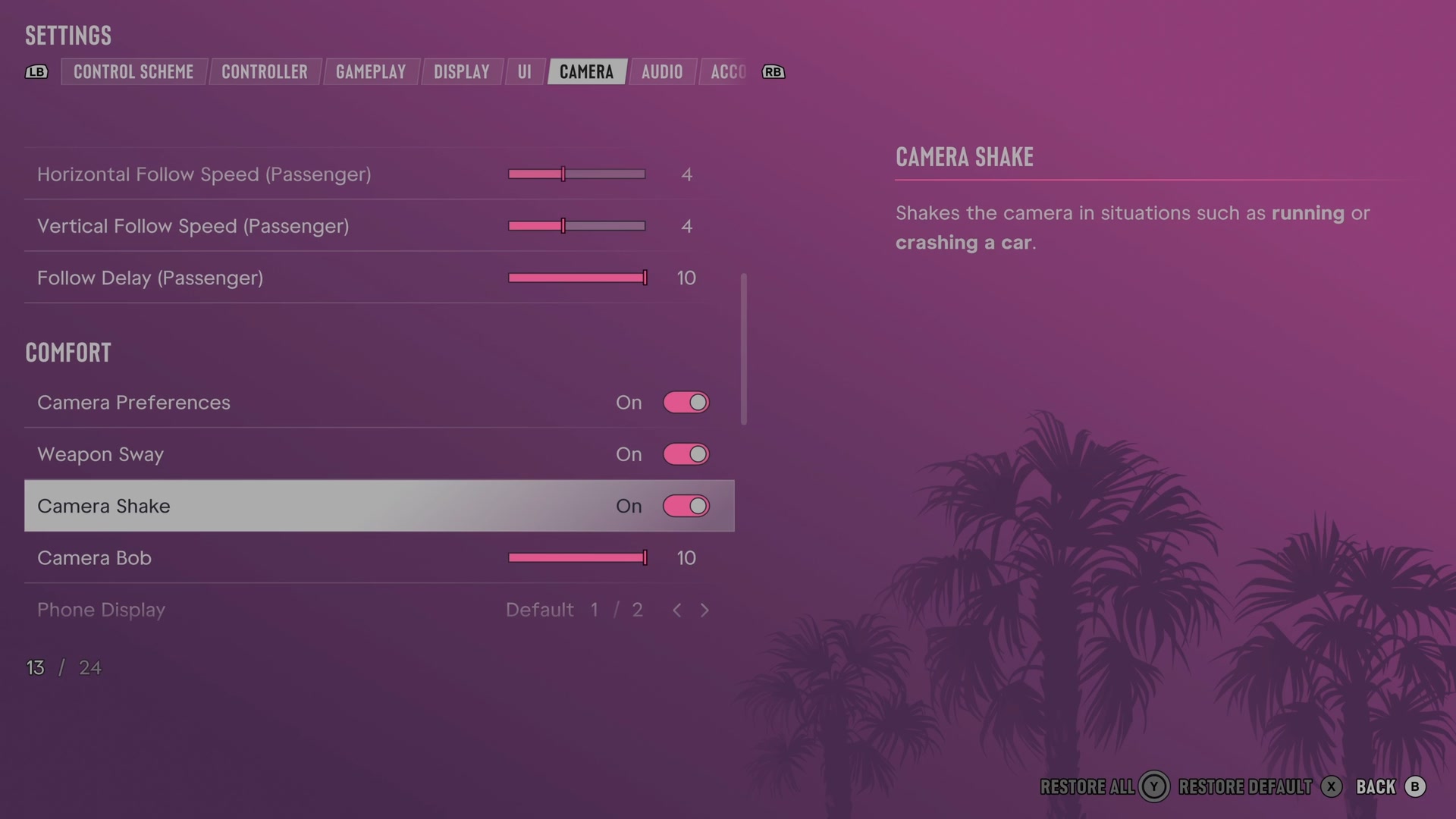
Horizontal Follow Speed (Passenger)
Sets how quickly the camera moves sideways back behind you as a passenger.
Slider set to 4 on our console
Vertical Follow Speed (Passenger)
Sets how quickly the camera moves vertically back behind you as a passenger.
Slider set to 4 on our console
Follow Delay (Passenger)
Sets how long the camera waits before moving back behind you as a passenger.
Slider set to 10 (bar full) on our console
Comfort
Camera Preferences
Chooses whether the game remembers separate camera preferences for different situations.
Switch On on our console
Weapon Sway
Chooses whether your weapon moves while you aim.
Switch On on our console
Camera Shake
Chooses whether running, crashes and similar events shake the camera.
Switch On on our console
Camera Bob
Sets how much the camera bounces during movement such as walking and swimming.
Slider set to 10 (bar full) on our console
Phone Display
Chooses the camera view used while you use the phone.
2 choices Default · First Person
Aircraft
Horizontal Follow Speed
Sets how quickly the camera moves sideways back behind you while flying.
Slider set to 5 on our console
Vertical Follow Speed
Sets how quickly the camera moves vertically back behind you while flying.
Slider set to 5 on our console
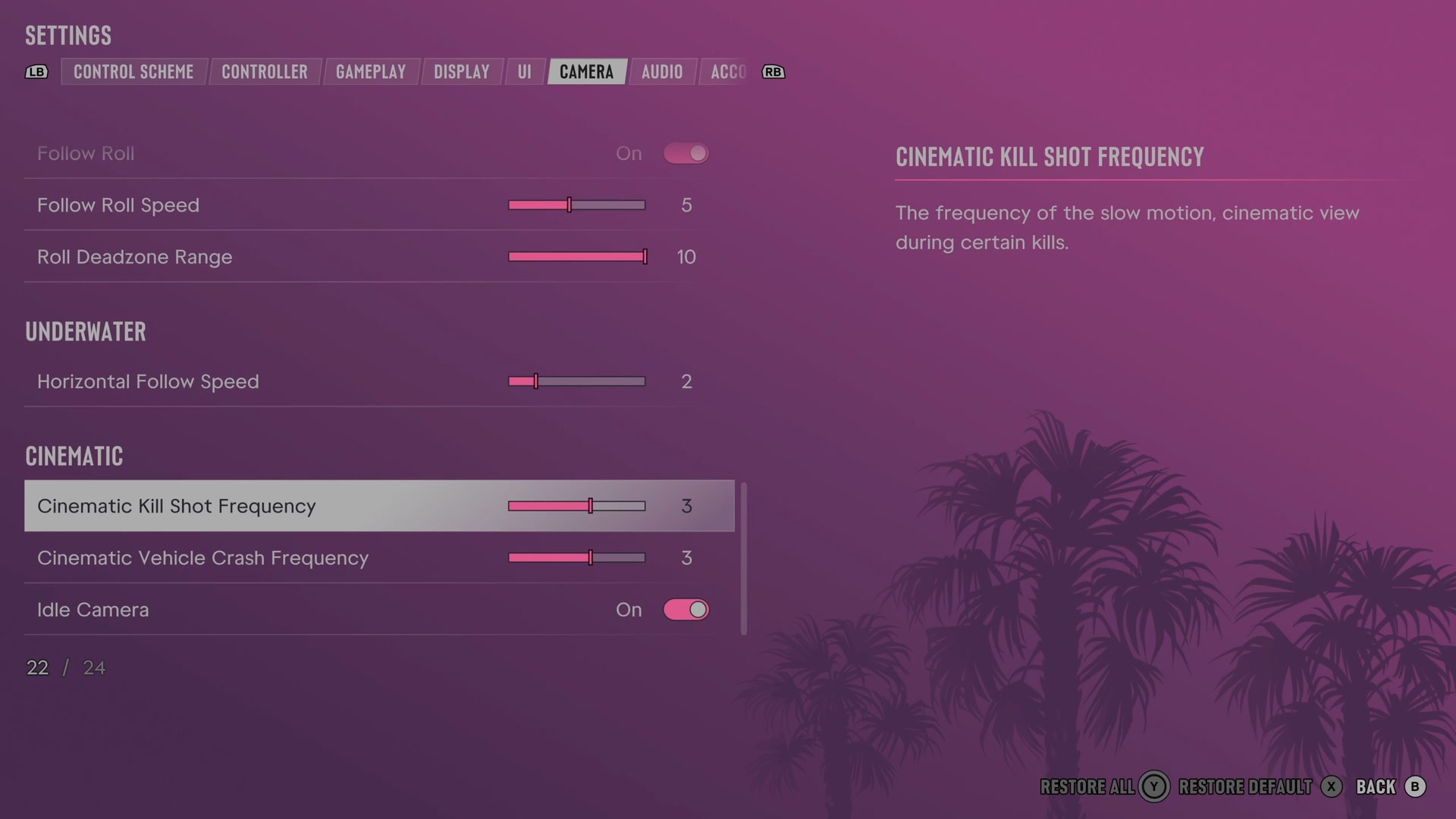
Follow Roll
Chooses whether the camera tilts with an aircraft as it rolls.
Switch On on our console
Follow Roll Speed
Sets how quickly the camera follows an aircraft's roll.
Slider set to 5 on our console
Roll Deadzone Range
Sets the aircraft roll range within which the camera stays aligned with the horizon.
Slider set to 10 (bar full) on our console
Underwater
Horizontal Follow Speed
Sets how quickly the camera moves sideways back behind you underwater.
Slider set to 2 on our console
Cinematic
Cinematic Kill Shot Frequency
Sets how often certain kills use a slow cinematic view.
Slider set to 3 on our console
Cinematic Vehicle Crash Frequency
Sets how often certain vehicle crashes use a slow cinematic view.
Slider set to 3 on our console
Idle Camera
Chooses whether leaving the controls untouched starts cinematic camera views.
Switch On on our console
Next to this tab: UI and Audio. All tabs: GTA 6 settings on Xbox Series S.