GTA 6 View button: open the map or change the camera
The View button either opens the map or toggles the camera view in GTA 6. The row is called View Button and is the last one on the Controller tab. It has two choices: Map and Camera.
First-hand · Xbox Series S · captured 19 November 2026, 02:39 UTC
Steps
- Pause the game and choose Settings, the last entry of the pause menu.
- Press RB or LB until the Controller tab is lit. It is tab 2 of 8.
- Move down to the section Controller Features and select View Button.
- Press left or right to change the value. The change takes effect at once.
- Press B to go back. X restores the selected row to its default.
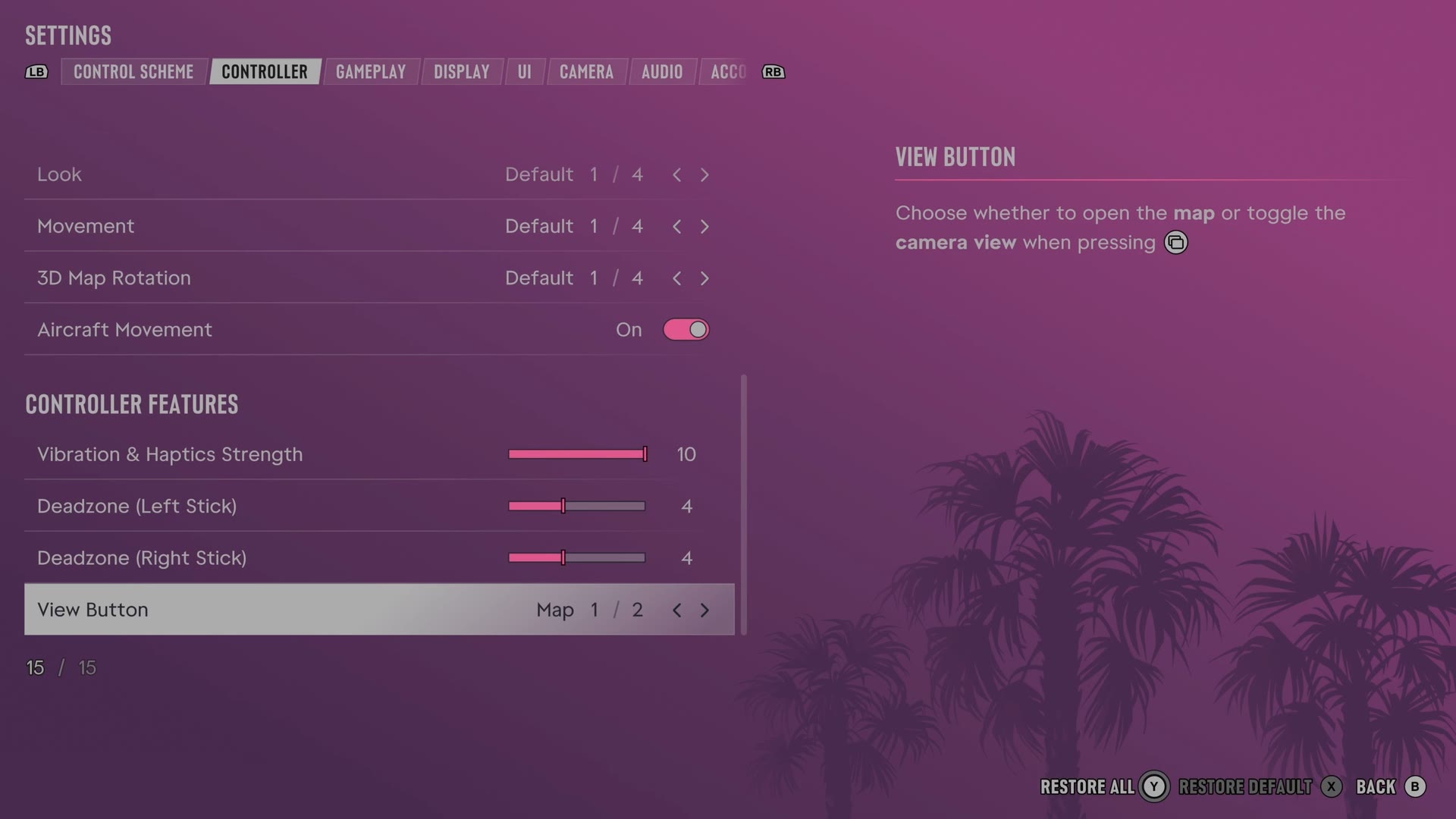
The row
View Button
Assigns the View button to the map or camera controls.
2 choices Map · Camera
Every row of this tab: GTA 6 controller settings: sensitivity, deadzones and inverted controls. The whole screen: GTA 6 settings on Xbox Series S.