GTA 6 camera shake, camera bob and weapon sway: the Comfort settings
The Camera tab has a Comfort section with a switch for camera shake, a slider for camera bob and a switch for weapon sway.
First-hand · Xbox Series S · captured 19 November 2026, 02:41 UTC
Steps
- Pause the game and choose Settings, the last entry of the pause menu.
- Press RB or LB until the Camera tab is lit. It is tab 6 of 8.
- Move down to the section Comfort and pick the row you want: Camera Shake, Camera Bob and Weapon Sway.
- Press left or right to change the value. The change takes effect at once.
- Press B to go back. X restores the selected row to its default.
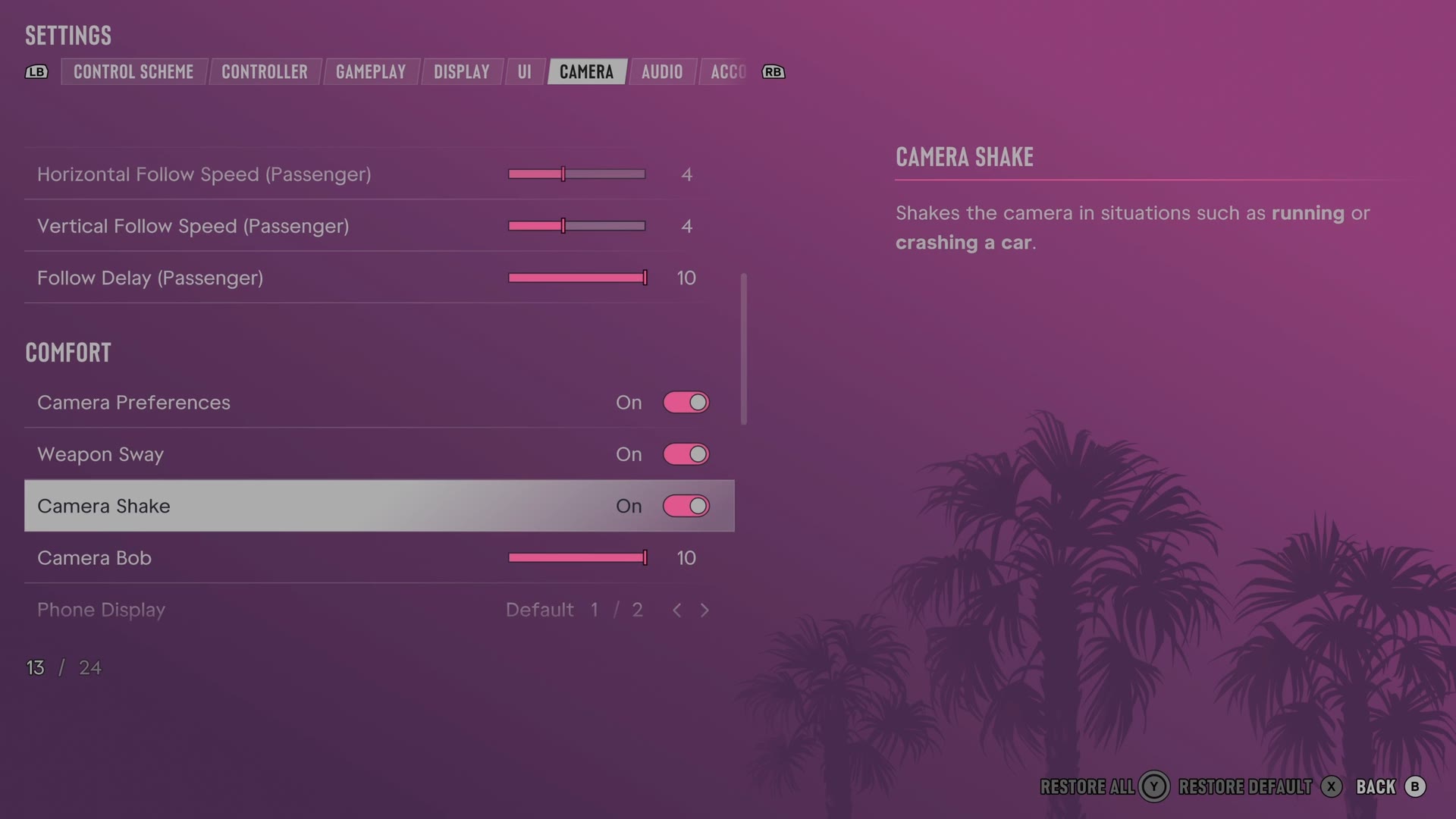
The rows
Camera Shake
Chooses whether running, crashes and similar events shake the camera.
Switch On on our console
Camera Bob
Sets how much the camera bounces during movement such as walking and swimming.
Slider set to 10 (bar full) on our console
Weapon Sway
Chooses whether your weapon moves while you aim.
Switch On on our console
Two rows on other tabs belong with these. Motion Blur Strength is on the Display tab. The UI tab has a switch named Persistent Center Dot, which the game says may aid with motion sickness.
Every row of this tab: GTA 6 camera settings: follow speed, camera shake and cinematic shots. The whole screen: GTA 6 settings on Xbox Series S.