GTA 6 colorblind settings: Color Adjustments and Focus Trail Colorblind Mode
GTA 6 has a colour setting for the UI and HUD with four choices: Off, Protan, Deutan and Tritan. It is called Color Adjustments and sits near the top of the UI tab.
First-hand · Xbox Series S · captured 19 November 2026, 02:40 UTC
Steps
- Pause the game and choose Settings, the last entry of the pause menu.
- Press RB or LB until the UI tab is lit. It is tab 5 of 8.
- Move down to the section Scaling & Readability and select Color Adjustments.
- Press left or right to change the value. The change takes effect at once.
- Press B to go back. X restores the selected row to its default.
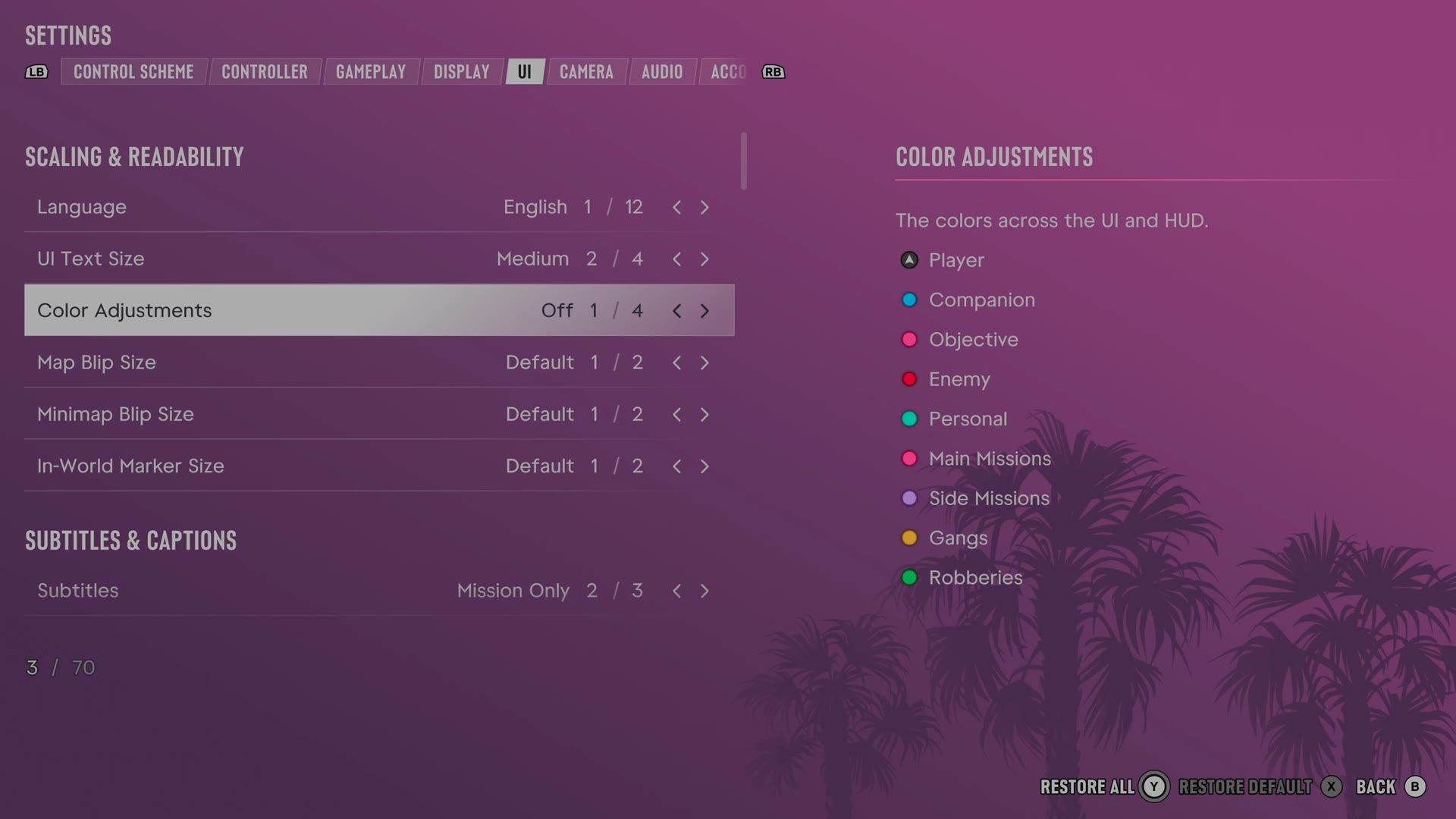
The row
Color Adjustments
Changes colours used by menus and the HUD.
4 choices Off · Protan · Deutan · Tritan
The panel beside the row lists the colours the game uses for the player, companions, objectives, enemies and mission types. The colours in that panel change as you step through the choices, so you can compare them before you go back.
A second row sits on the Display tab: Focus Trail Colorblind Mode, a switch that the game says applies boosted colors on trails.
Every row of this tab: GTA 6 UI and HUD settings: every row, from minimap to reticle. The whole screen: GTA 6 settings on Xbox Series S.