GTA 6 basics: the HUD, the map, and health, stamina and focus
The game tracks three bars for you: health, stamina and focus. Each one has ways to recover it, to buff it for a while and to raise it for good. The Basics tab of the Help menu explains them, after the HUD, the map and the phone.
First-hand · Xbox Series S · captured 19 November 2026, 02:59 UTC
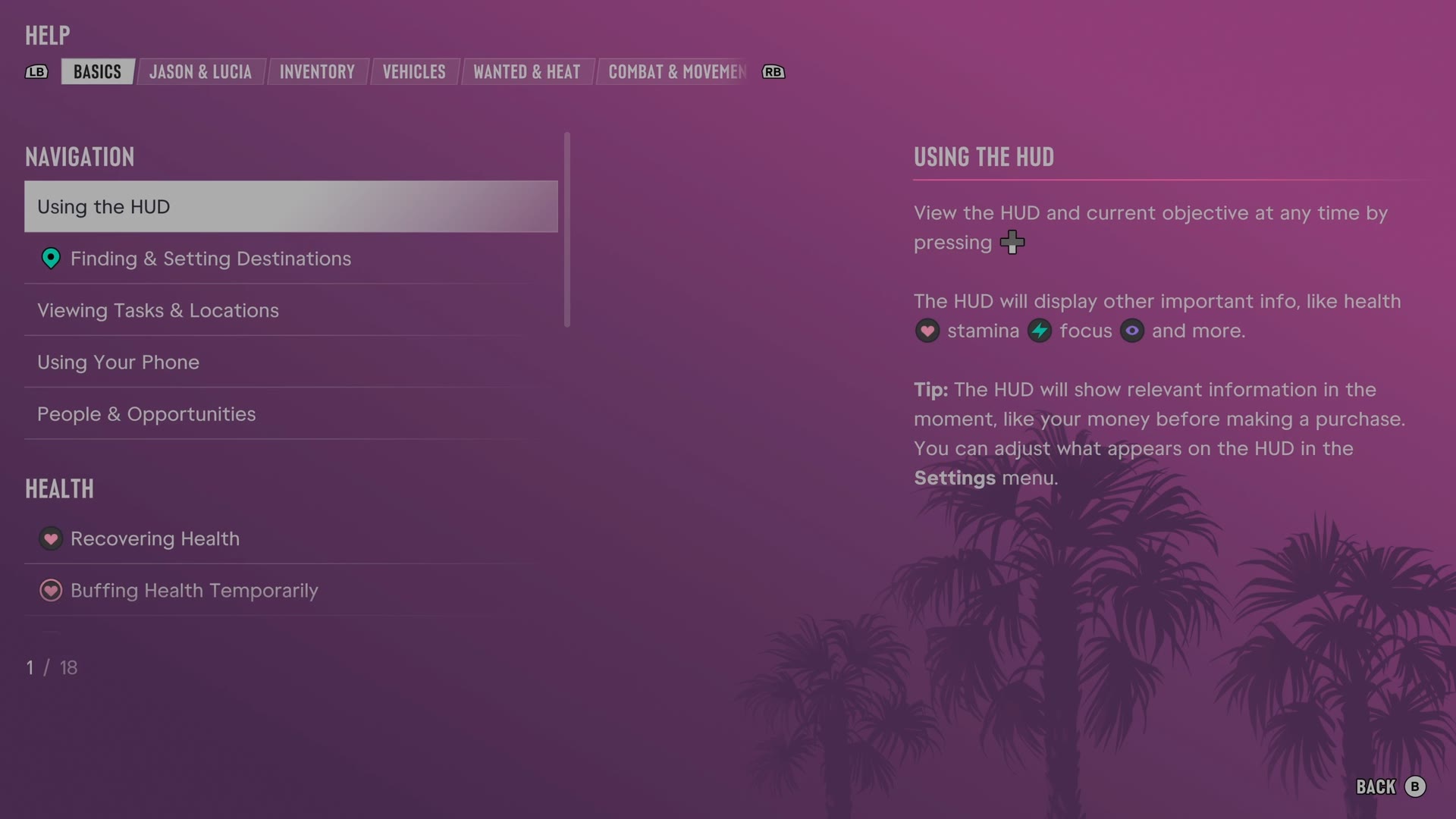
The game's manual is in the pause menu under Help. LB and RB switch tabs, and Basics is tab 1 of 8. It has 18 entries. We read every one and give each here in our own words.
Using the HUD · Finding & Setting Destinations · Viewing Tasks & Locations · Using Your Phone · People & Opportunities · Recovering Health · Buffing Health Temporarily · Strength Exercises · Body Armor · Recovering Stamina · Buffing Stamina Temporarily · Cardio Exercises · Recovering Focus · Buffing Focus Temporarily · Training Focus · Fitness & Physique · Sleep & Recovery · Freshening up & Showering
Using the HUD
- Pressing D-pad reveals the HUD and current objective.
- Health, stamina and focus are among the HUD indicators.
- The HUD can show information when relevant, such as money before a purchase.
- The Settings menu controls which information appears on the HUD.
Finding & Setting Destinations
- Open the map with View and choose a destination with A.
- Quick navigation lets you set a destination by holding D-pad and pressing R3 on an in-world marker.
- Only one destination can be active at once.
- The map supports multiple markers for useful places.
Viewing Tasks & Locations
- The map index opens with D-pad after opening the map with View.
- The index lists discovered tasks and locations.
- Hovering over a task or location in the index reveals more information.
- New opportunities have a yellow diamond marker in the index.
- Holding D-pad displays nearby tasks or locations on the HUD.
Using Your Phone
- The phone opens with D-pad.
- Reminders keeps track of missed important notifications and calls.
- Contacts and WhatUp provide ways to stay in touch with people.
- News and Snapmatic carry the latest around Leonida.
- More phone apps become available as progress is made.
People & Opportunities
- Investigating unusual noises, confrontations and accidents can uncover opportunities.
- Holding LT while looking at someone enables interaction on foot.
- Holding D-pad enables interaction with people from a vehicle.
- Focus, activated with L3 R3, slows time, highlights nearby items and indicates the direction of unusual noises.
- Holding LT and pressing R3 allows closer inspection of the surroundings.
Recovering Health
- The HUD places the health bar at the top left.
- Damage lowers health, which only partly returns on its own over time.
- Zombix, certain food and drinks, and sleep at a safehouse can restore health fully.
- Zombix can be bought at local grocery stores or found around Leonida.
- The loadout can hold extra Zombix.
Buffing Health Temporarily
- Food and drink consumables can restore health and temporarily increase health capacity.
- A health buff raises capacity and allows full regeneration until getting wasted or starting a new session.
- Adrenaline briefly overpowers all stats, refills health and reduces incoming damage.
Strength Exercises
- Strength workouts can permanently raise health capacity while adding muscle.
- Gym strength exercises include bench presses, chest flys and deadlifts.
- The Fitness app tracks workouts, body shape and overall progress.
- Missing enough workout windows risks losing a level.
- Being tired before a workout affects stamina recovery.
Body Armor
- Ammu-Nations sell body armor.
- Equipped body armor protects health against gunshots and explosions until the armor breaks completely.
- Holding LB and pressing RB opens body armor management while on the move.
- Pressing A on selected body armor equips or removes the armor.
- Extra body armor can go into the trunk when purchased at Ammu-Nations.
Recovering Stamina
- The stamina bar appears at the top left of the HUD.
- Sprinting and other exertion drain stamina, while a break restores stamina fully.
- Certain food and drinks, including protein bars and sodas, speed stamina recovery or temporarily raise capacity.
- Safehouse sleep also boosts stamina capacity.
- Completely depleted stamina briefly prevents some actions.
Buffing Stamina Temporarily
- Food and drink consumables can restore stamina and temporarily increase stamina capacity.
- A stamina capacity buff lasts until getting wasted or starting a new session.
- Adrenaline overpowers stats, refills stamina and slows stamina loss.
Cardio Exercises
- Cardio workouts can permanently raise stamina capacity and burn calories for weight loss.
- Gym cardio exercises include running, cycling and the punching bag.
- The Fitness app records workouts, body shape and overall progress.
- Repeatedly missing the workout window risks losing a level.
- Tiredness before a workout affects stamina recovery.
Recovering Focus
- Combat focus consumes the focus bar, which refills fully over time.
- Drinks such as coffee and tea can speed focus recovery or extend focus.
- Focus used outside combat, including searching the surroundings, does not consume the focus bar.
Buffing Focus Temporarily
- Food and drink consumables can restore focus and temporarily extend the focus bar.
- An extended focus bar lasts until getting wasted or starting a new session.
- Adrenaline overpowers stats, replenishes focus and slows focus loss.
Training Focus
- Concentration or mindfulness activities can permanently raise focus capacity.
- Shooting ranges, golf putting, pool and catching fish are focus training activities.
- Depending on the current criminal profile, incapacitating enemies or landing headshots can improve focus.
Fitness & Physique
- Jason's and Lucia's fitness levels and calorie intake affect body shape.
- Cardio with a balanced diet produces a leaner physique.
- Strength exercise increases muscle mass.
- Extra calories without exercise add weight and reduce definition.
- The Fitness app tracks calorie intake and body shape.
Sleep & Recovery
- Sleeping at a safehouse advances time.
- Sleep restores health and focus while providing a temporary stamina buff.
- Sleep before and after a workout helps stamina performance and overall recovery.
Freshening up & Showering
- A safehouse shower or sink restores focus and provides a temporary focus buff.
- Restrooms and stores around Leonida also offer places to freshen up.
- Bloodstains may make cops suspicious.
- Showering removes bloodstains.
The other tabs of the manual: Jason & Lucia · Inventory · Vehicles · Wanted & Heat · Combat & Movement · Money · Exploration. All of them: the GTA 6 Help menu.