GTA 6 combat and movement: melee, aiming, stealth, cover and swimming
Melee in GTA 6 has light and heavy attacks, grapples, blocks and counters. The Combat & Movement tab of the Help menu gives the buttons for those, and for aiming, explosives, stealth, cover, jumping and swimming.
First-hand · Xbox Series S · captured 19 November 2026, 02:58 UTC
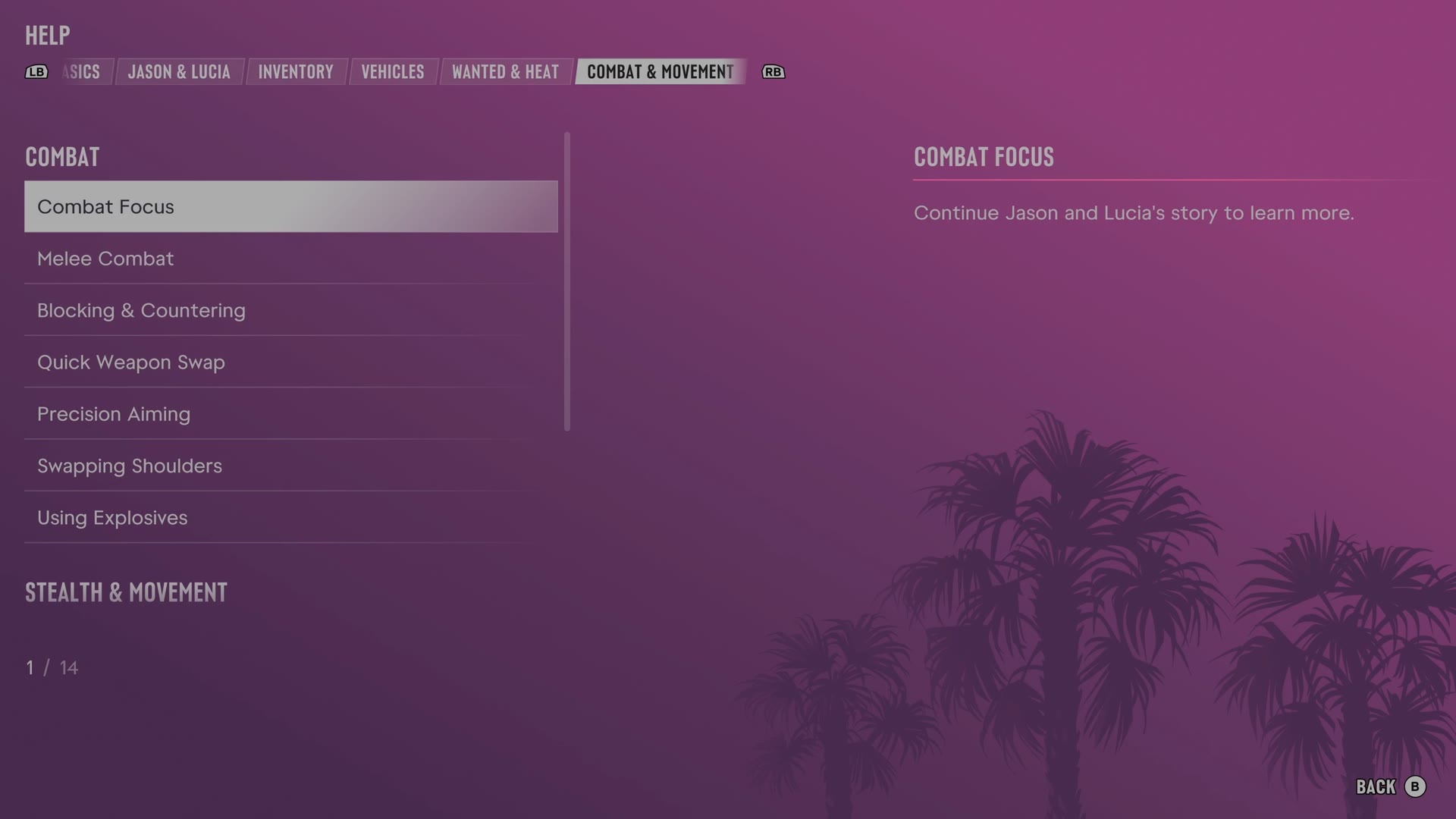
The game's manual is in the pause menu under Help. LB and RB switch tabs, and Combat & Movement is tab 6 of 8. It has 14 entries. We read every one and give each here in our own words.
Melee Combat · Blocking & Countering · Quick Weapon Swap · Precision Aiming · Swapping Shoulders · Using Explosives · Stealth · Misdirection & Distracting Enemies · Using Cover · Chain Jumps · Sliding on Hoods · Swimming · Diving
Melee Combat
- Pressing X attacks while unarmed or holding a melee weapon, and holding X makes a heavy attack.
- Holding RT grapples an opponent.
- During a grapple, pressing X follows up with an attack, while holding X puts the opponent in a vulnerable position.
- Melee attacks consume stamina.
- Completely depleted stamina weakens melee attacks until stamina recovers.
Blocking & Countering
- Holding A blocks melee attacks.
- Pressing A just before an incoming attack counters, allowing a follow-up X attack during the opening.
- Counter timing depends on precise observation of the opponent's movements.
Quick Weapon Swap
- Pressing Y while aiming changes weapons without opening the loadout.
- When ammunition runs out, a weapon swap can be quicker than a reload.
Precision Aiming
- Pressing R3 while aiming a firearm zooms in for better accuracy.
- Continuous gunfire may lower accuracy, while short bursts help maintain aim.
- Hip firing without aiming trades accuracy for mobility.
Swapping Shoulders
- Pressing D-pad while aiming a firearm switches the view to the other shoulder.
- Changing shoulders can improve the aiming angle in some situations.
Using Explosives
- Holding LT aims grenades and other explosives.
- Pressing RT throws a grenade, while holding RT pulls the pin and primes the grenade before the throw.
- Holding RB while aiming a firearm quickly throws the last equipped explosive.
Stealth
- Pressing B crouches, making the character harder to detect.
- Slow movement while crouched reduces noise.
- Holding RT behind an enemy grabs the enemy, and repeated X presses perform a stealth takedown.
- Cover and leaving an enemy's line of sight can help when detection begins.
Misdirection & Distracting Enemies
- While hidden, objects such as glass bottles can be picked up and thrown with a press or hold of RT to distract enemies.
- Holding LT while looking at an enemy and whistling lures the enemy closer.
- Whistling can isolate an enemy and make taking out that enemy easier.
- Focus with L3 R3 helps observe nearby enemies and find objects for distraction.
Using Cover
- Pressing RB takes cover behind the nearest obstacle and makes the character harder to hit.
- The L stick looks around while in cover.
- Peering around a corner and pressing A moves around the corner while remaining in cover.
- Pressing RB again exits cover.
- Pressing RT behind cover fires the gun before quickly ducking back.
Chain Jumps
- Pressing A immediately after climbing an obstacle starts another jump.
- Linking jumps preserves momentum and speeds traversal, especially during pursuit.
Sliding on Hoods
- Pressing A at the right moment while running toward a vehicle slides the character over the hood.
- Sliding over a hood preserves momentum and can help during a police pursuit.
Swimming
- Pressing or holding L3 increases swimming speed.
- Holding RB dives, while A returns toward the surface.
- Holding LT underwater enables sideways or backward swimming.
Diving
- Pressing A near a body of water dives in, while holding A performs a trick.
- In the water, holding RB goes deeper and A surfaces.
- Holding LT underwater allows sideways or backward swimming.
Still locked on our save
One entry was closed when we read the tab. The game says to continue Jason and Lucia's story to learn more: Combat Focus.
The other tabs of the manual: Basics · Jason & Lucia · Inventory · Vehicles · Wanted & Heat · Money · Exploration. All of them: the GTA 6 Help menu.