GTA 6 Auto Drive test: 13.54 km in about 13 min 45 s
Last updated
In our Xbox Series S test of GTA 6 (Build 930.048.020), Auto Drive took about 13 min 45 s on a motorcycle to reach THE STEEL DROP, marked 13.54 km away. On a short car run, it reached a 199 m marker in at most 84 s.
First-hand · Xbox Series S · captured
Both runs were recorded in free roam on 21 November 2026 on Build 930.048.020 (GTA 6 settings on Xbox Series S). For the full setting details and structured measurement table, see GTA 6 Auto Drive: what the setting does and where it is.
Measured Auto Drive runs on Xbox Series S
We timed both runs directly on our recording's clock, cut at 4 frames per second, from the first frame whose bottom-right corner read DISABLE AUTO DRIVE to the first frame whose corner read ENABLE AUTO DRIVE again at the destination.
| Run | Vehicle | Marker distance | Time on tape | Tape start (UTC) | Measurement type |
|---|---|---|---|---|---|
| Long run to THE STEEL DROP | Motorcycle | 13.54 km | about 13 min 45 s | 20:57:26Z | Timed on tape (4 fps; corner blank 3.75 s before arrival prompt) |
| Short free-roam run | Car | 199 m | at most 84 s | 20:03:12Z | Timed on tape (4 fps upper bound; prompts fade after ~3 s and camera cuts near end) |
The 13.54 km motorcycle run to THE STEEL DROP
Setting THE STEEL DROP as the destination showed 13.54 km on the map card at 20:57:09 UTC and on the route marker at 20:57:20 UTC, right before Auto Drive went on. With Jason on a motorcycle in the letterboxed cinematic camera at 20:57:26 UTC, the bottom-right corner displayed SPEED 1/2/3 (LT and RT) and DISABLE AUTO DRIVE (B), confirming that Auto Drive runs on a motorcycle as well as a car.
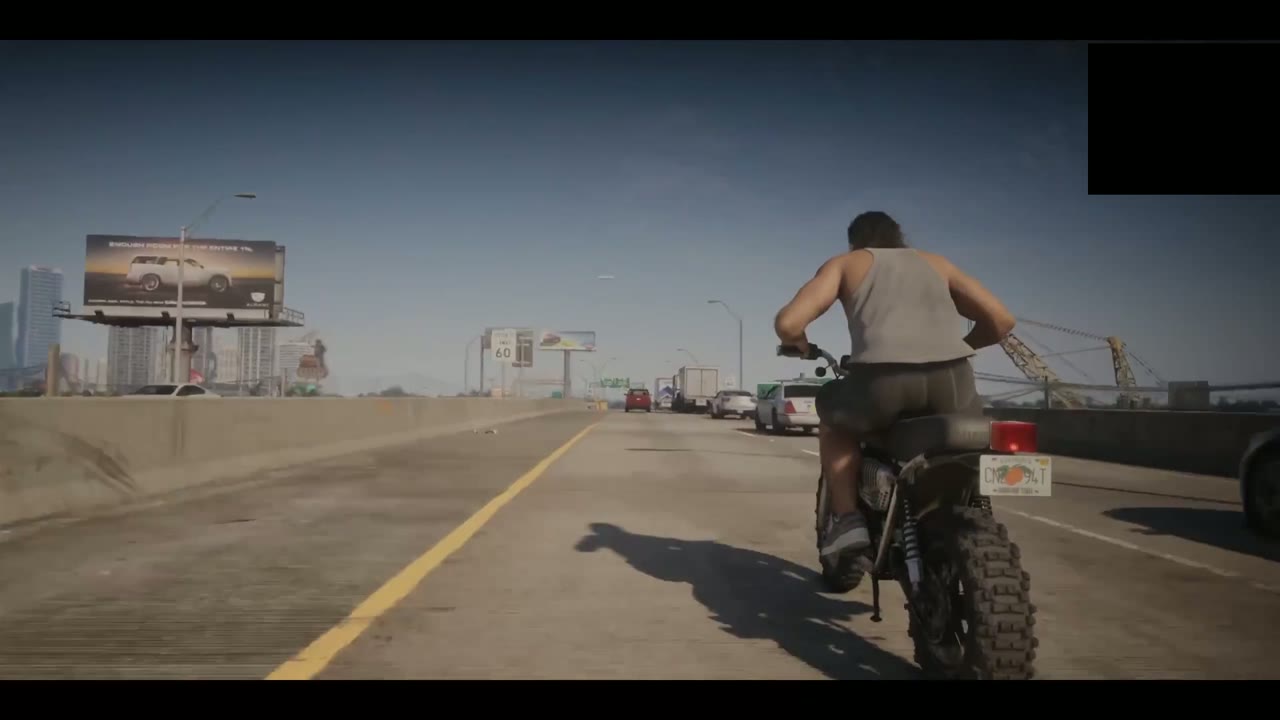
On the 4-frames-per-second cut of our recording, the first frame with DISABLE AUTO DRIVE stood at 20:57:26.0 UTC and the first frame with ENABLE AUTO DRIVE back in the corner at the destination stood at 21:11:11.75 UTC. That span is about 13 min 45 s (825.75 s). Because the corner was empty for 3.75 s before that arrival frame, Auto Drive may have finished up to 3.75 s earlier. Our play harness logged 13 min 52 s for the same trip because its timestamps record when it answered after reading a frame, 3 to 10 s after the screen changed.
At 21:11:21 UTC, stopped beside the destination marker on the minimap, the letterboxed cinematic camera again showed ENABLE AUTO DRIVE with B. A still alone does not confirm whether Auto Drive switched itself off automatically on arrival. The time-lapse clip at the top of this page shows the motorcycle ride at 32 times speed with no sound, the cash corner covered, and a stretch showing a money amount cut out.
The 199 m short car run
Earlier in the same session, we timed a short car run from a parked start. In the last frame before Auto Drive went on (20:03:09 UTC), the compass placed the destination marker at 199 m, and the bottom-right HUD showed REMOVE DESTINATION (B), CINEMATIC (Menu), MARKERS (LB and RB), and CAMERA 1/2/3 (X).
In the 16.03 s clip above (captured 20:03:11 UTC, cash corner covered, no sound), the parked car sits in the cinematic camera with ENABLE AUTO DRIVE on B. Once pressed, the prompts switch to SPEED 1/2/3 (LT and RT) and DISABLE AUTO DRIVE (B), and the car pulls out of the yard and drives down the street with no further press.
On the 4-frames-per-second recording, the span from the first DISABLE AUTO DRIVE frame (20:03:12.25 UTC) to the first ENABLE AUTO DRIVE frame parked beside the destination icon on the minimap (20:04:36.25 UTC) was at most 84 s. Prompts leave the corner about 3 s after Auto Drive starts and the camera cuts near the end, so the ride may have ended earlier and 84 s is an upper bound.
Auto Drive setting and controls
GTA 6 places Auto Drive under Settings > Gameplay > Accessibility > Auto Drive (GTA 6 Auto Drive setting guide). The game's own help text states that Auto Drive drives you automatically to your set destination and can only be enabled in the cinematic camera.
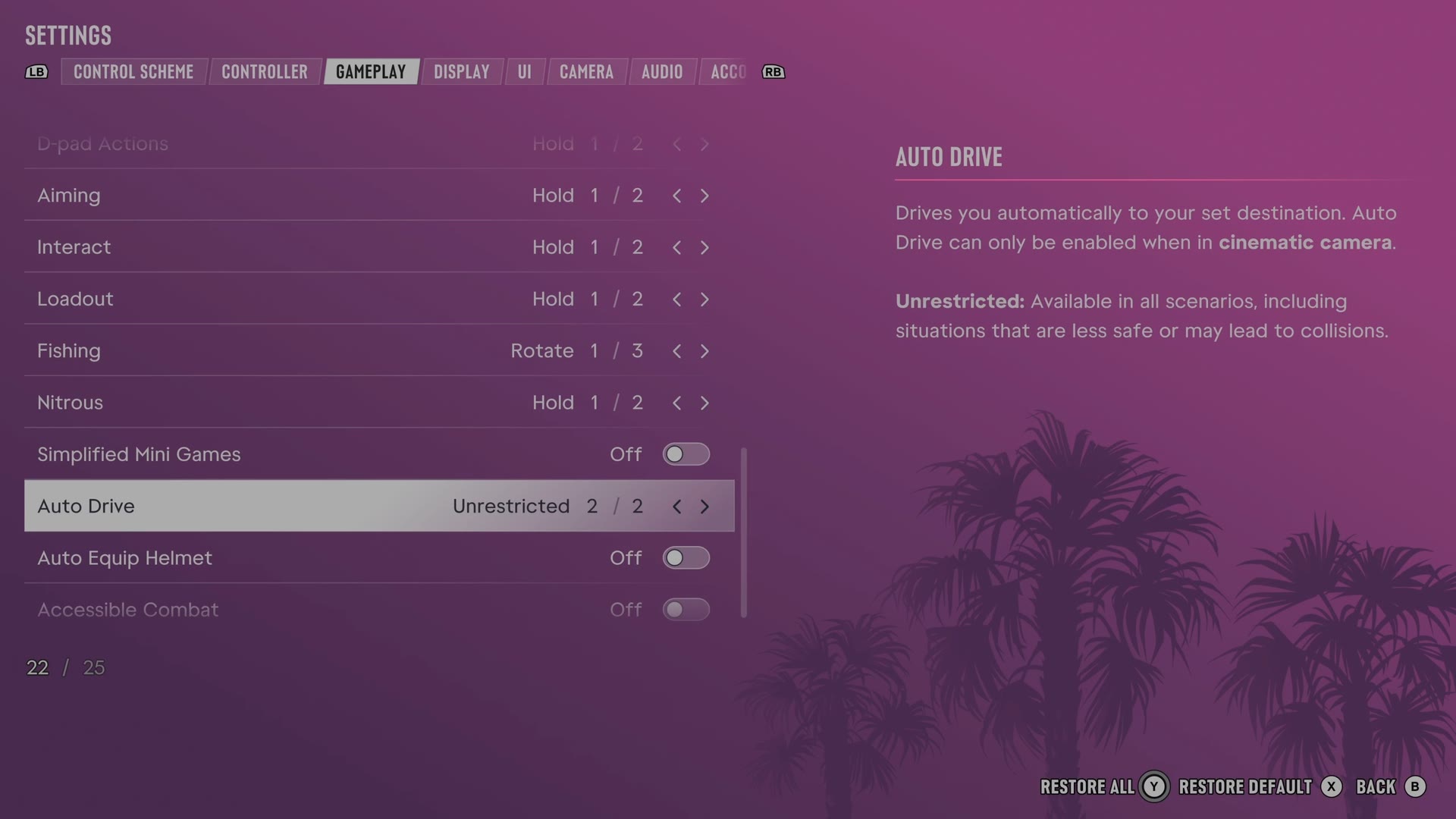
The row offers two options:
- Restricted: allows Auto Drive in safe scenarios only.
- Unrestricted: allows Auto Drive in all scenarios, including situations that are less safe or may lead to collisions. Our Xbox Series S was set to Unrestricted during both measured runs.
Once active in the cinematic camera, LT and RT adjust SPEED 1/2/3 and B toggles DISABLE AUTO DRIVE and ENABLE AUTO DRIVE. For the full Xbox button layout and vehicle rules, see GTA 6 controls on Xbox and GTA 6 vehicles, personal vehicles and trackers.
Separate dirt bike capture showing ENABLE AUTO DRIVE
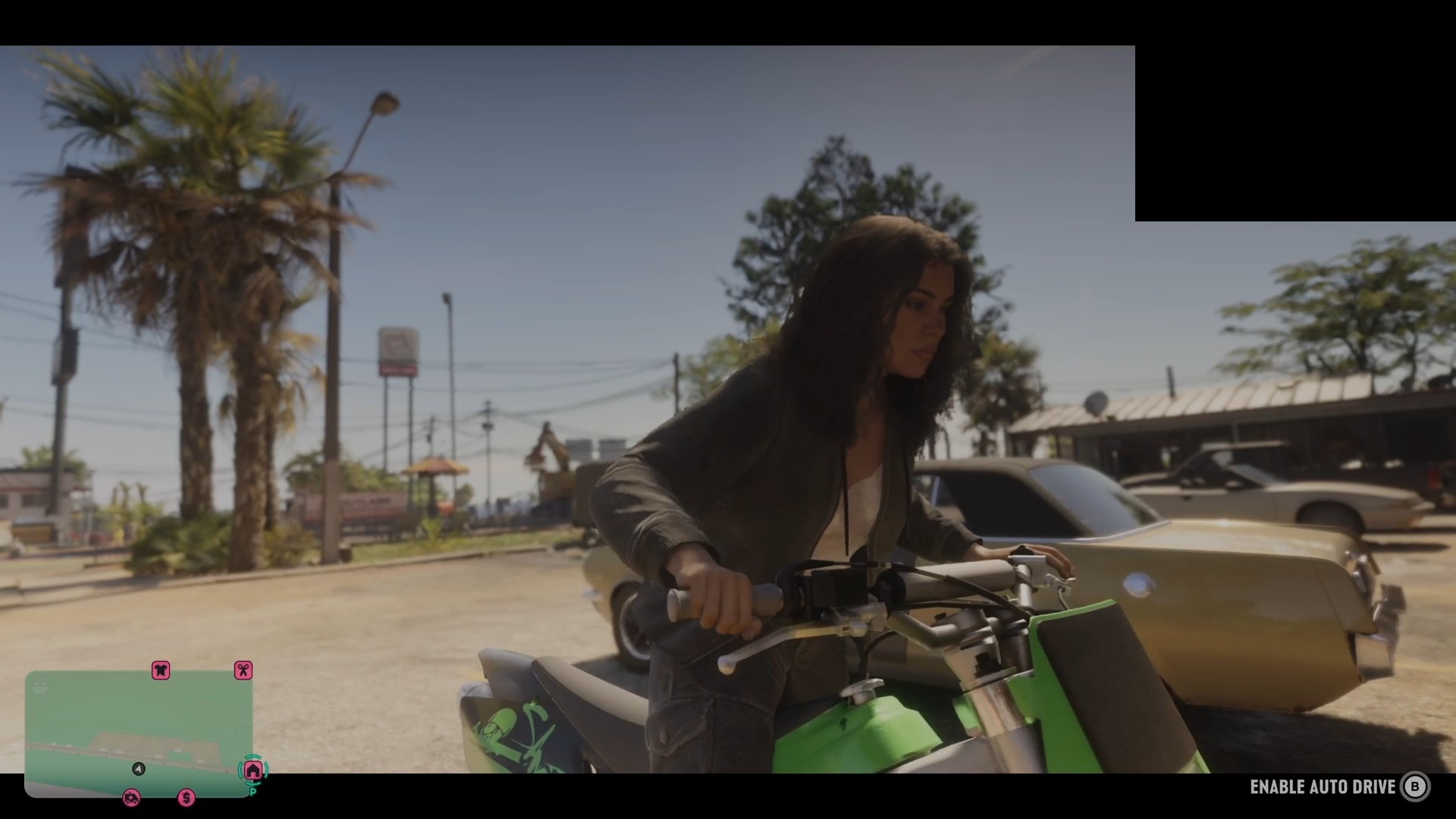
In a separate Xbox Series S capture on 22 November 2026 (04:21 UTC), seated on a green dirt bike in a lot with a marked parking space (P) on the minimap, the bottom-right prompt reads ENABLE AUTO DRIVE (B). That still records the on-screen prompt and minimap state only; it is not a timed run.
What we did not test
- Whether the 13.54 km and 199 m marker readings measure straight-line distance or road distance along the route.
- How SPEED 1, SPEED 2, and SPEED 3 compare in measured travel time over the same route.
- How Restricted behaves compared with Unrestricted in heavy traffic, junctions, or off-road sections.
- Whether Auto Drive switches itself off automatically on arrival, because the bottom-right corner was blank for 3.75 s before ENABLE AUTO DRIVE returned on the 13.54 km run and the camera cut near the end of the 199 m run.
- Auto Drive in boats, aircraft, or story missions, or on PlayStation 5 or Xbox Series X, because both timed runs were recorded in free roam on Xbox Series S on Build 930.048.020.
First published